Figma vs Paper for AI design: every token, tool call and dollar
I gave Claude Code one brief and three AI design tools, and logged every tool call and token. Not a feature list. What each one did with the same 11 minutes, and why the prettier result lost.
I have been a product designer for 17 years, and for years Figma was the answer before anyone asked the question. Last week I ran a test where Figma won on looks, 12 calls to 8.
I still picked Paper.
The test: Claude Code read the codebase of Peeko, my analytics tool, and wrote one design brief for a new landing page. The same brief went to an agent working in Paper through its MCP server, an agent working in Figma through the Figma MCP server, and Figma's own Figma Agent, which just came out of beta. A conductor agent logged every tool call, screenshot and token. Whichever design won would become Peeko's real landing page.
This is not a verdict on which tool is better. It is a breakdown of what each one is better at, because the answer changed depending on what I measured.
Watch it or read it. The video below is the whole 30-minute test. Everything under it is the same test in writing, with every number, chart and screenshot, so you can skip the video and lose nothing.
One brief, three tools
The brief asked for two directions, Sunny Side (light) and Night Watch (dark), with 13 sections each. It also moved Peeko's positioning. Peeko started out marketed to technical people, and I want it to work for anyone shipping something, including vibe coders who have never set up analytics.
Claude Code (Opus 5.5, medium effort) spun up a conductor, and the conductor started one agent per tool. Each agent built both pages from the same file.
The Figma Agent was the odd one out. It lives inside Figma, so it can't see my codebase, my project files or my repo. It got the same brief as a markdown file attached to its prompt, and nothing else.
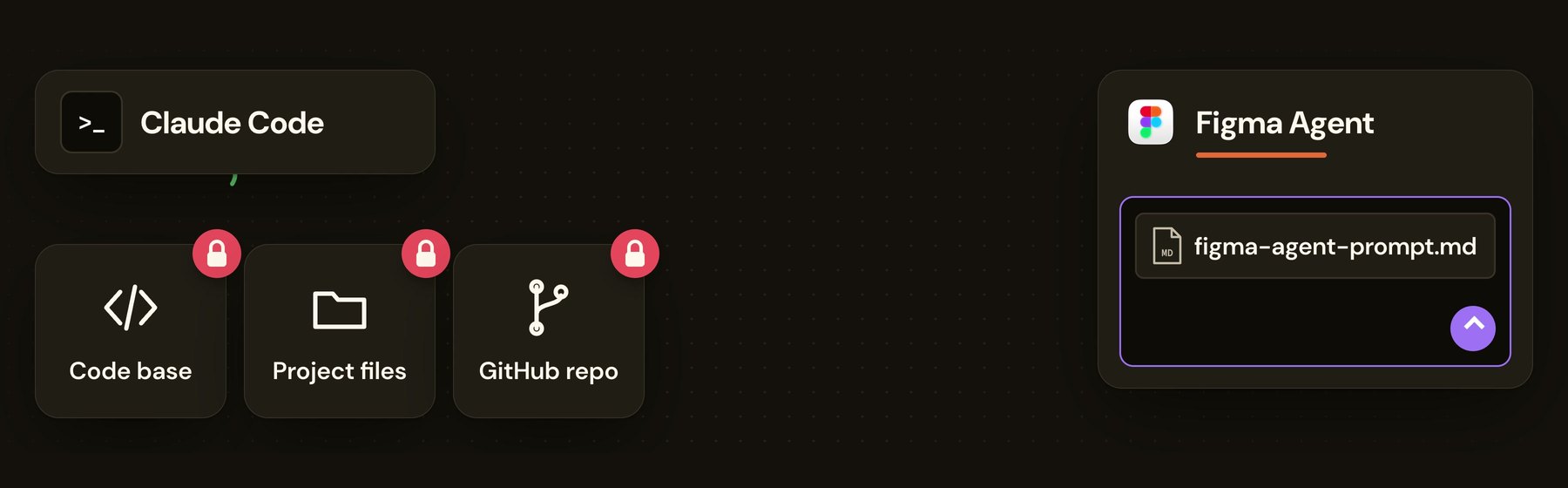
If you want to run your own comparison, that is the part worth copying. Have the agent write the brief to a file first, then hand the file to every tool. Otherwise you are comparing prompts, not tools.
The race: 14.6 seconds against 2:29
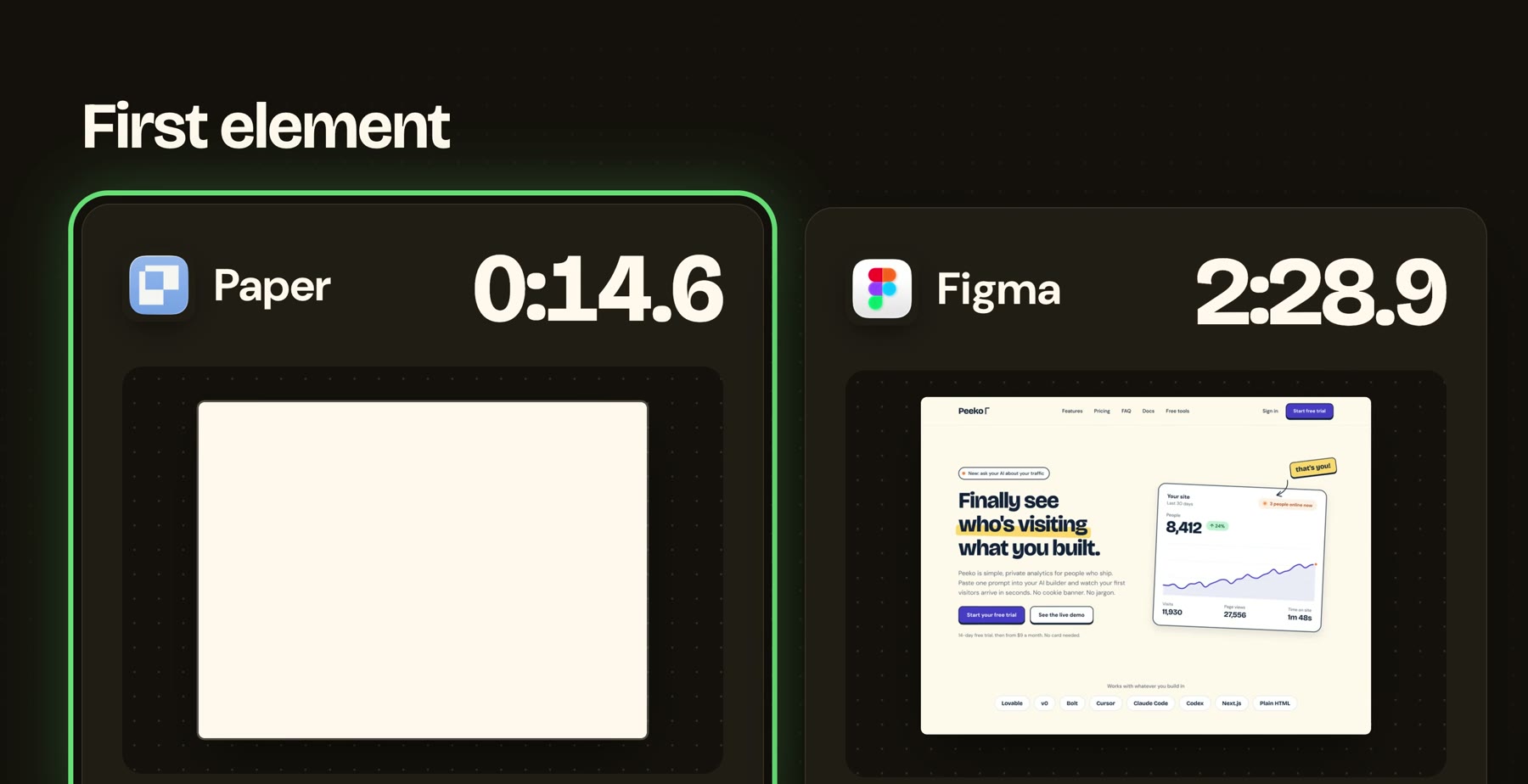
The finish times were a wash. Paper took 10:45, the Figma Agent 10:48, the Figma MCP server 11:29.
The start was not. Paper put something on the canvas after 14.6 seconds and then painted the page in real time, section by section. Figma showed nothing for 2 minutes and 29 seconds, then arrived in chunks, one large component at a time.
That difference matters more than it sounds. The first two minutes are when I catch a wrong direction. If the agent is drifting, I can nudge it while it works and save the other nine minutes. With Figma, the first time I could react was after the agent had already committed.
Figma won the looks
I went through every section, light and dark, side by side, and called a winner on each. Figma took 12, Paper took 8. Scroll both pages and judge for yourself.


Paper won on details. Its hand-drawn arrow points at the right thing. Its shadows are consistent hard 45 degree shadows on the buttons and the card, where Figma's only reach the buttons. Its FAQ and its narrower text columns read cleaner.
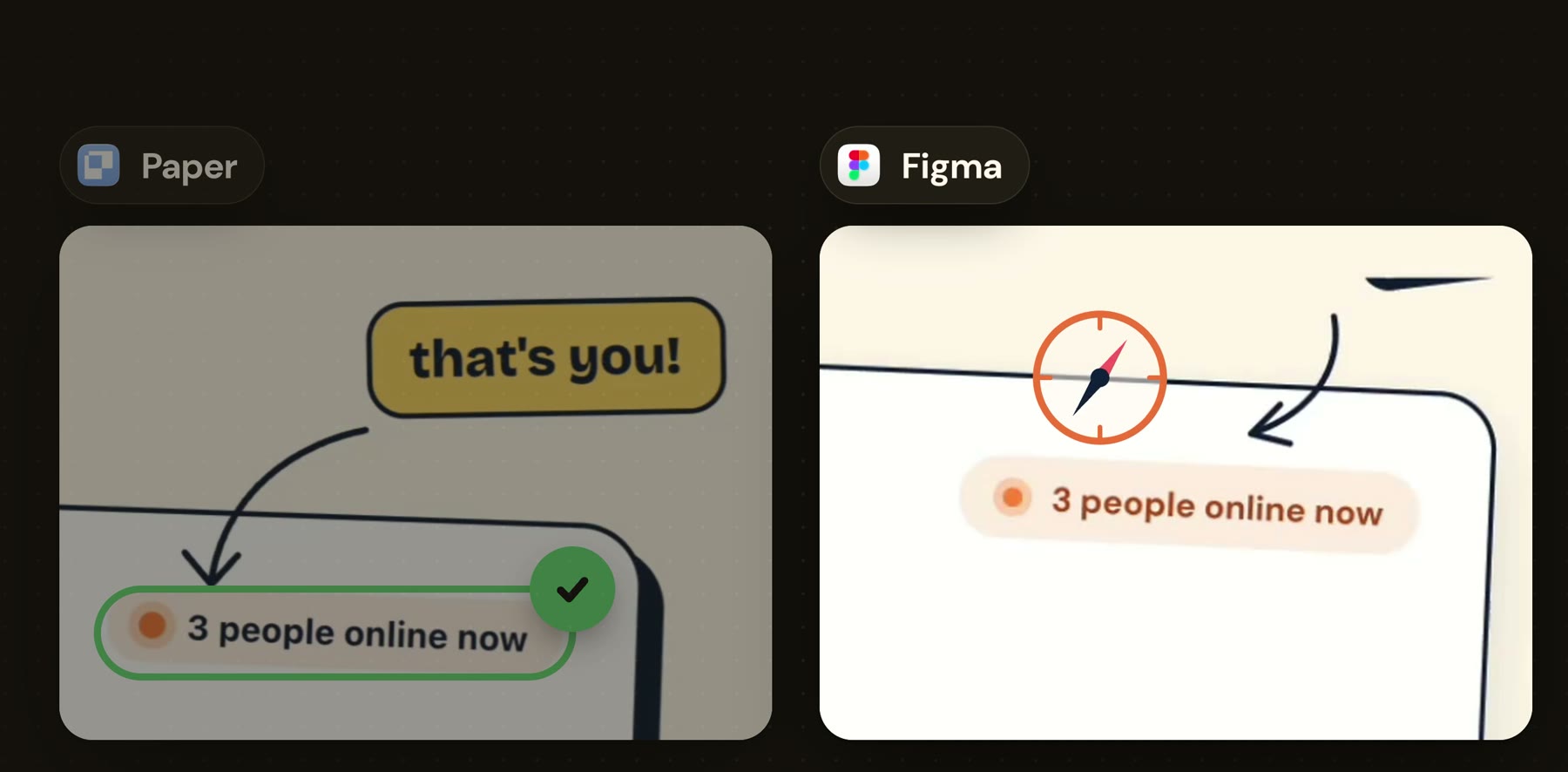
Figma won on presence, and it won the dark theme outright. The glow behind the Night Watch hero, the bold headline, the big call to action at the end: Paper's dark page looked flat next to it. Figma also built nearly everything in auto layout, which is how I would have built it myself.


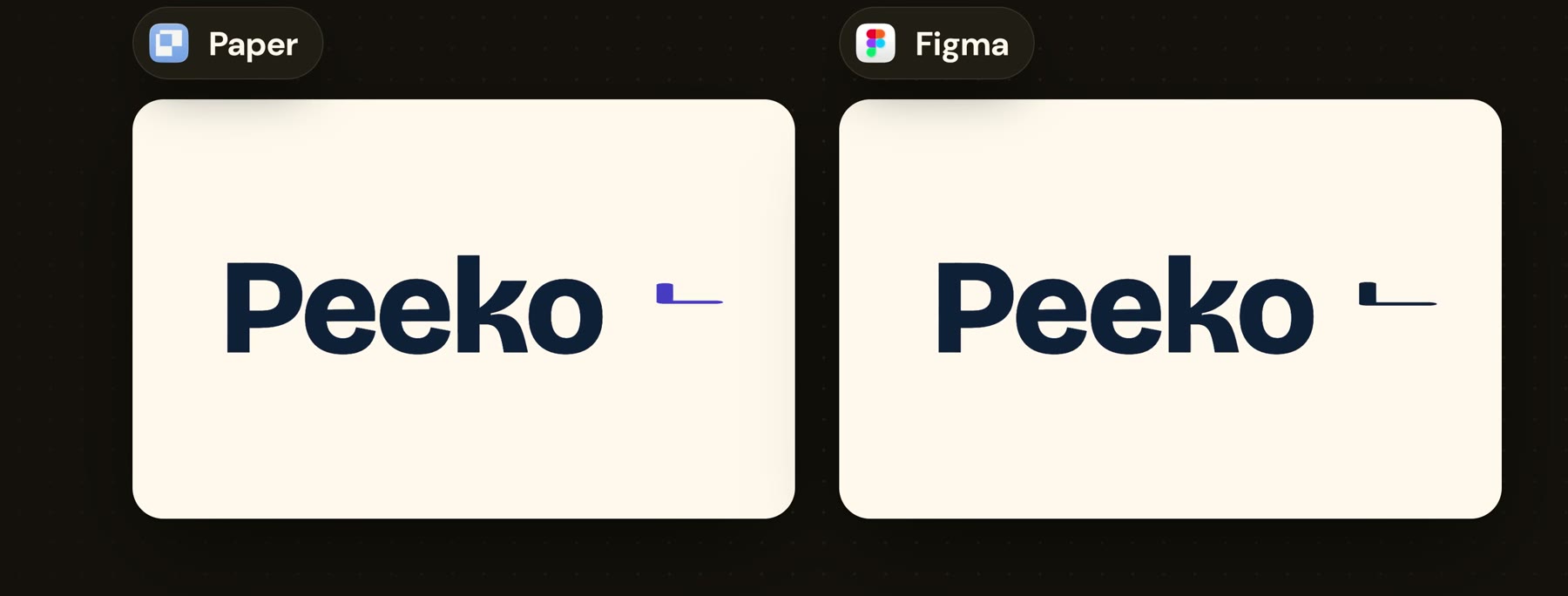
Both slipped. Figma's first pass had clip content switched on and cropped a button (it fixed that later). Paper's dark FAQ fell back to the system font. And both, independently, drew Peeko's logo as an inverted L, which is an odd choice if you ask me.
The numbers
 Paper
Paper Figma MCP
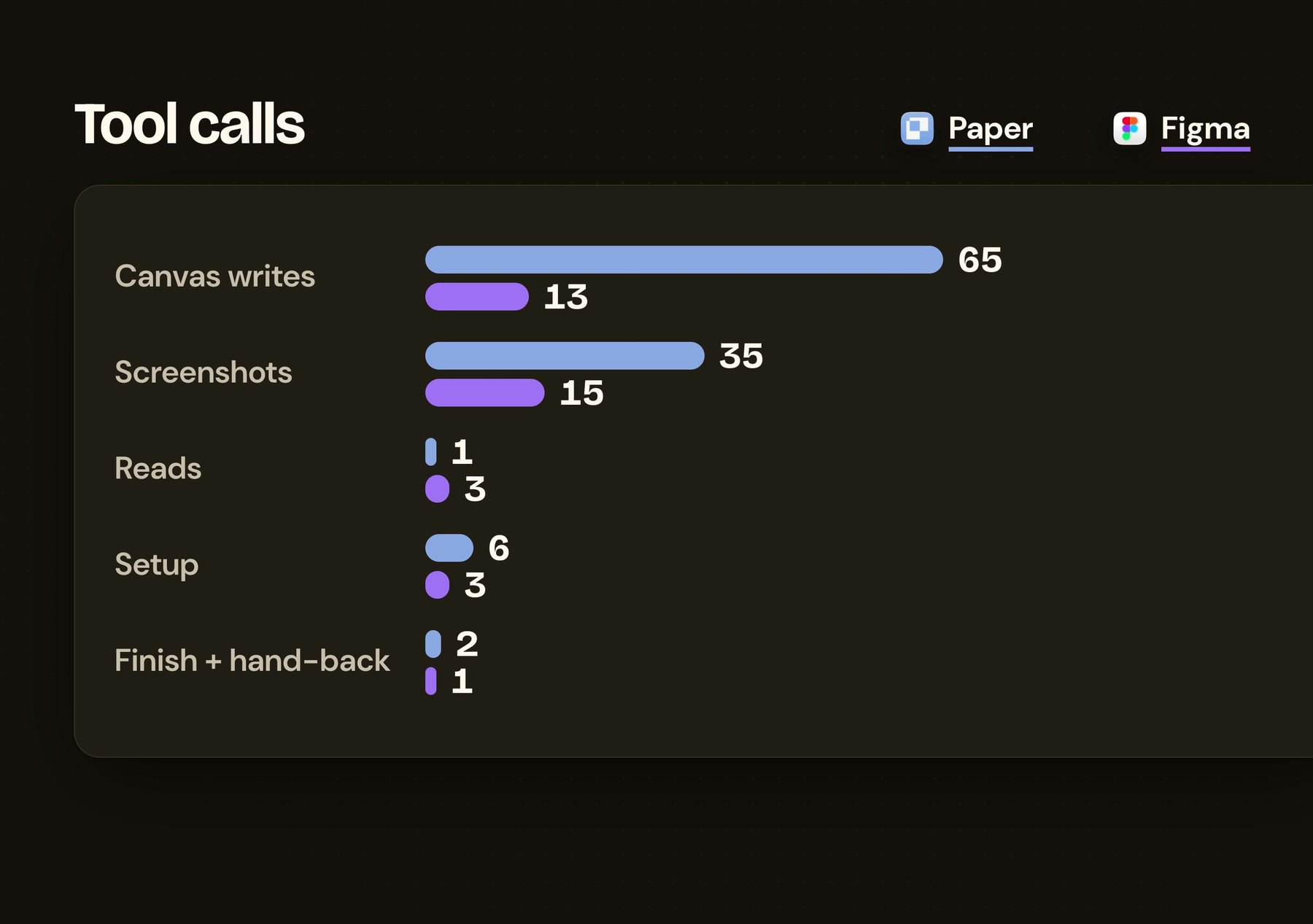
Paper works by doing a lot: about 10 tool calls a minute against Figma's 3. It writes to the canvas, takes a screenshot, fixes, writes again. Figma makes fewer, bigger writes.
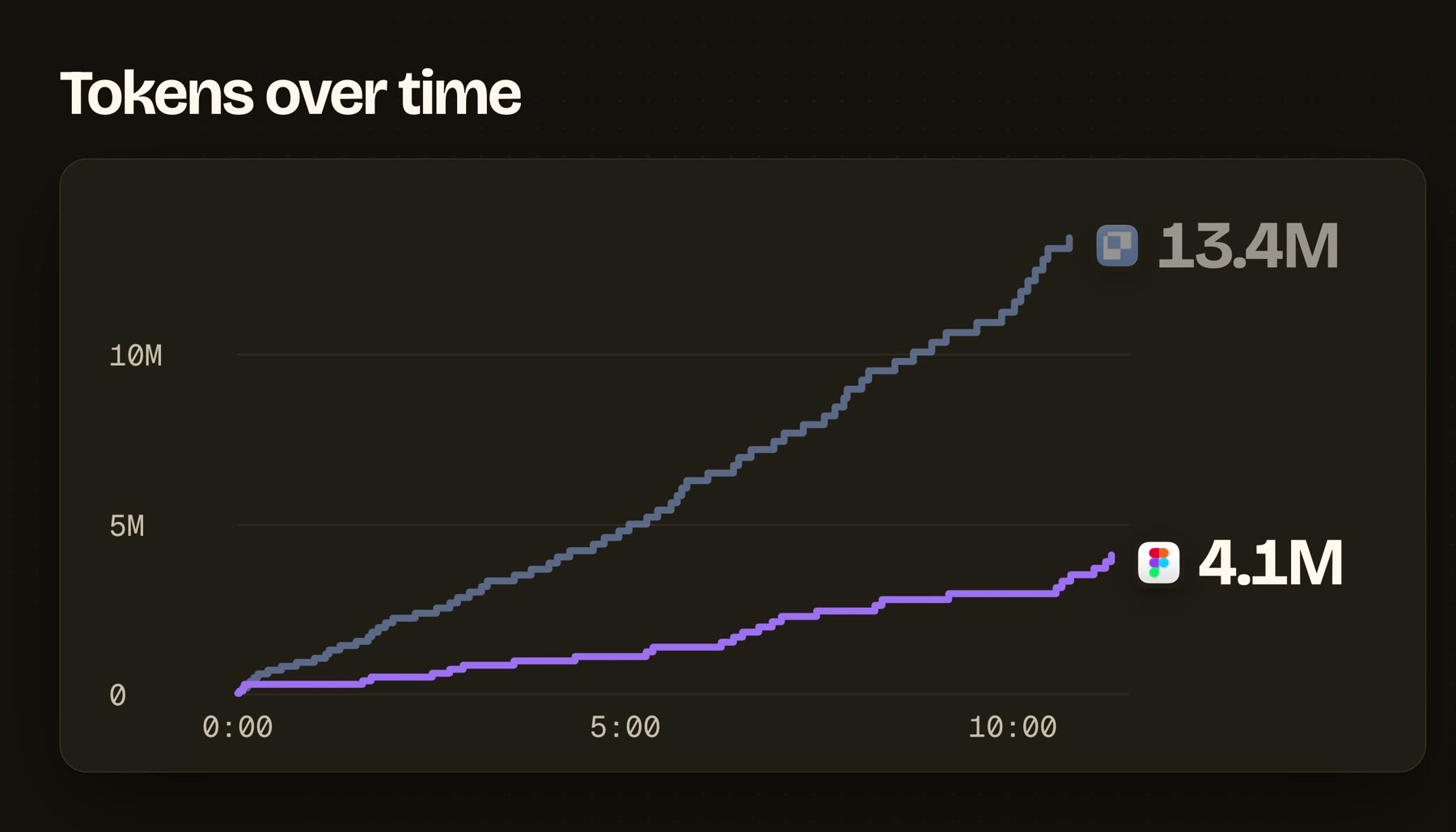
That is also where the tokens go. Paper's line climbs the whole way. Figma's stays low and flat, and it finished at about a third of the tokens.
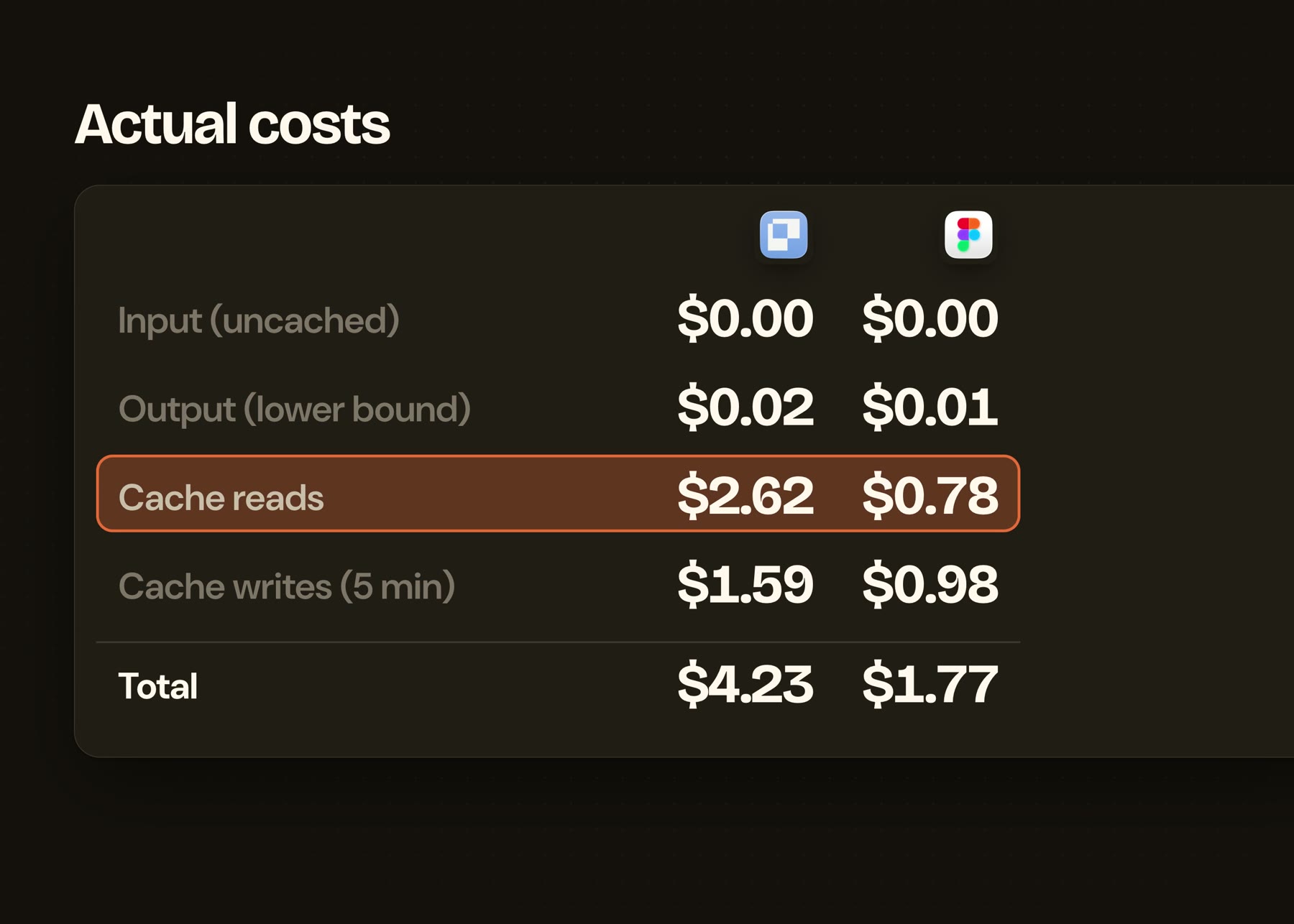
On my Claude subscription that difference never reaches my bill. If you run your models through an API key, through OpenRouter or OpenCode, it does, and Figma is the cheaper tool to design with. Most of it is cache reads: the agent rereading context it already has.
The handoff is the part nobody measures
Every number above stops when the design is done. The real job doesn't.
Paper's canvas is HTML and CSS. When a Paper design goes into the codebase, the model is mostly copying code that already renders in a browser. Figma stores designs in its own format, so getting to code means translating every frame, fill and auto layout into CSS.
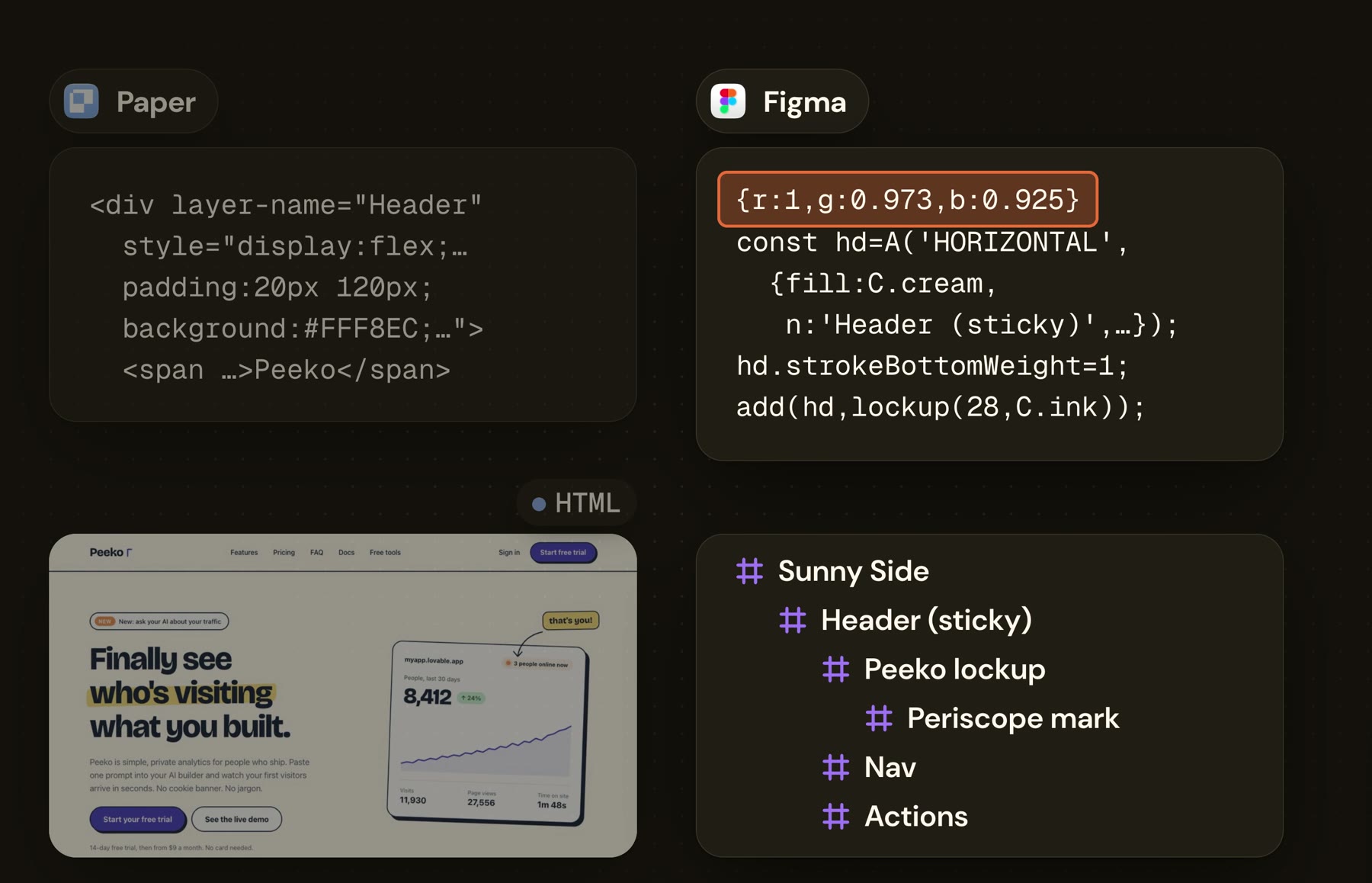
That translation takes time, it takes tokens, and every step is a chance to drift from what you approved.
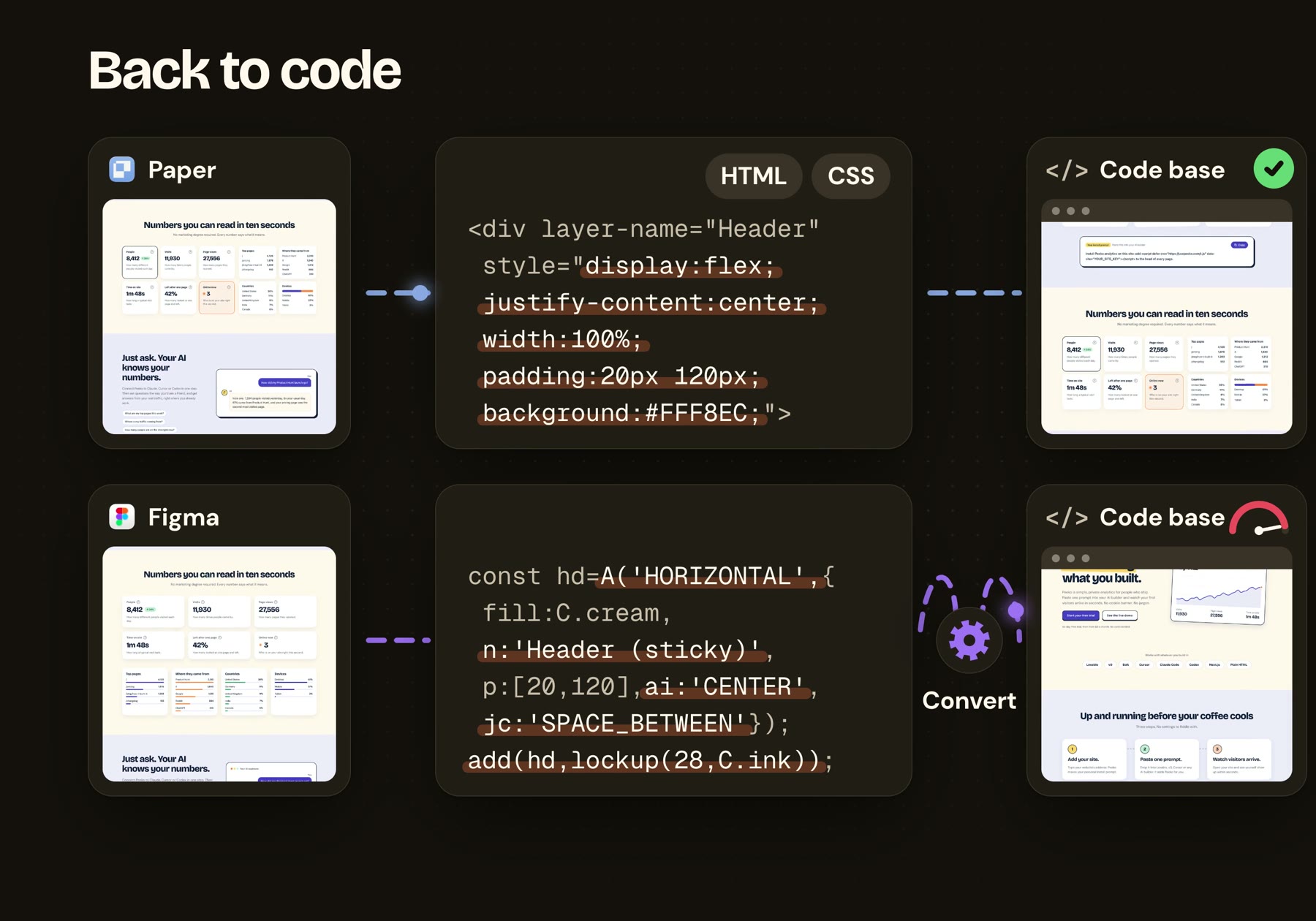
I didn't time that half in this test. I have done it both ways enough to know which one is slower. So the token gap above is real, but it is the cost of the cheap half of the work.
The Figma Agent: promising, and quiet
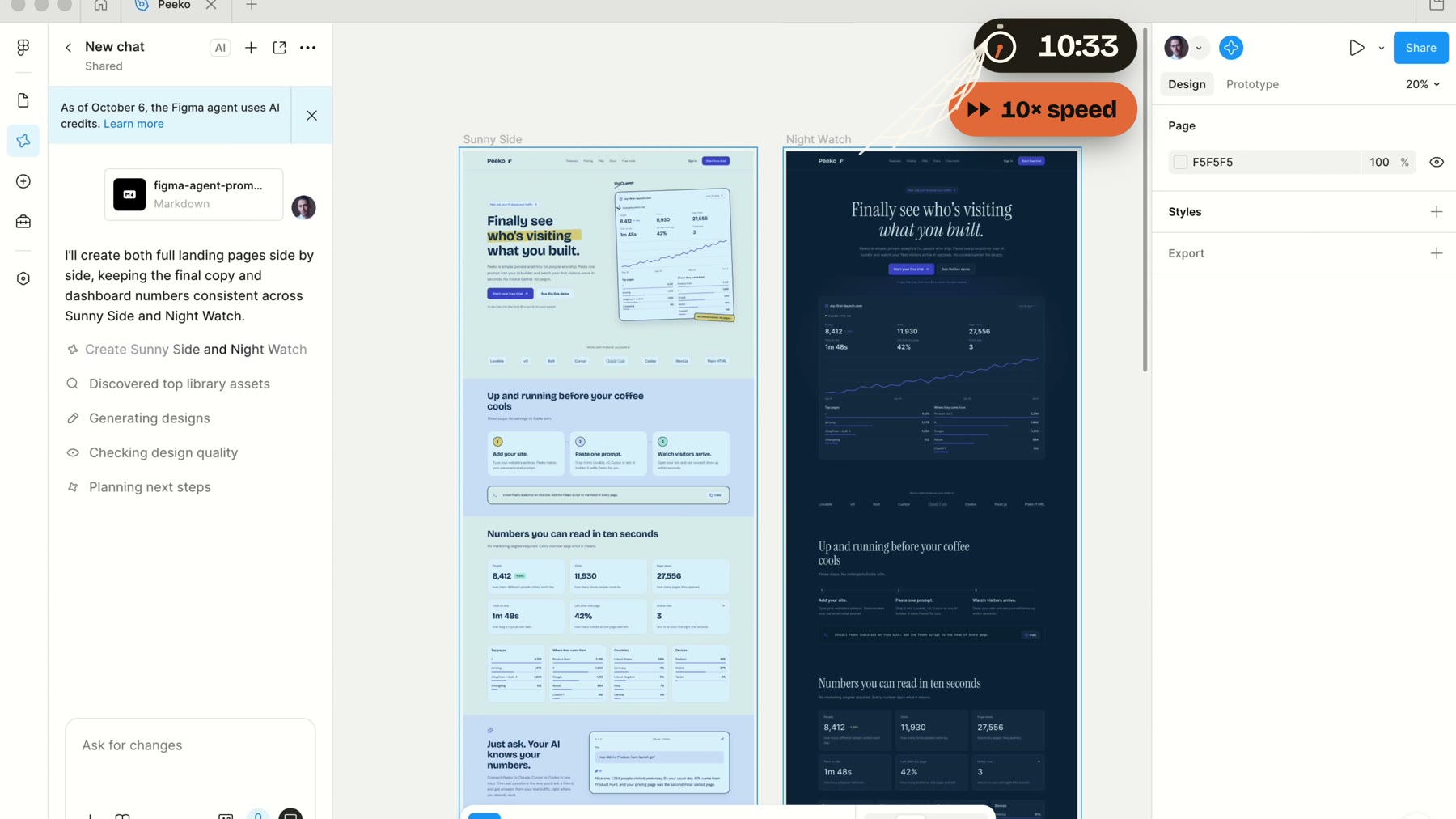
This was my first time using it. It finished in 10:48, almost exactly with the other two.
It did things the MCP servers couldn't. It found Peeko's real logo in my Figma file and used it in both themes. It used the icon set already in that file. It figured out the full height of the page before it started, and built both themes side by side.
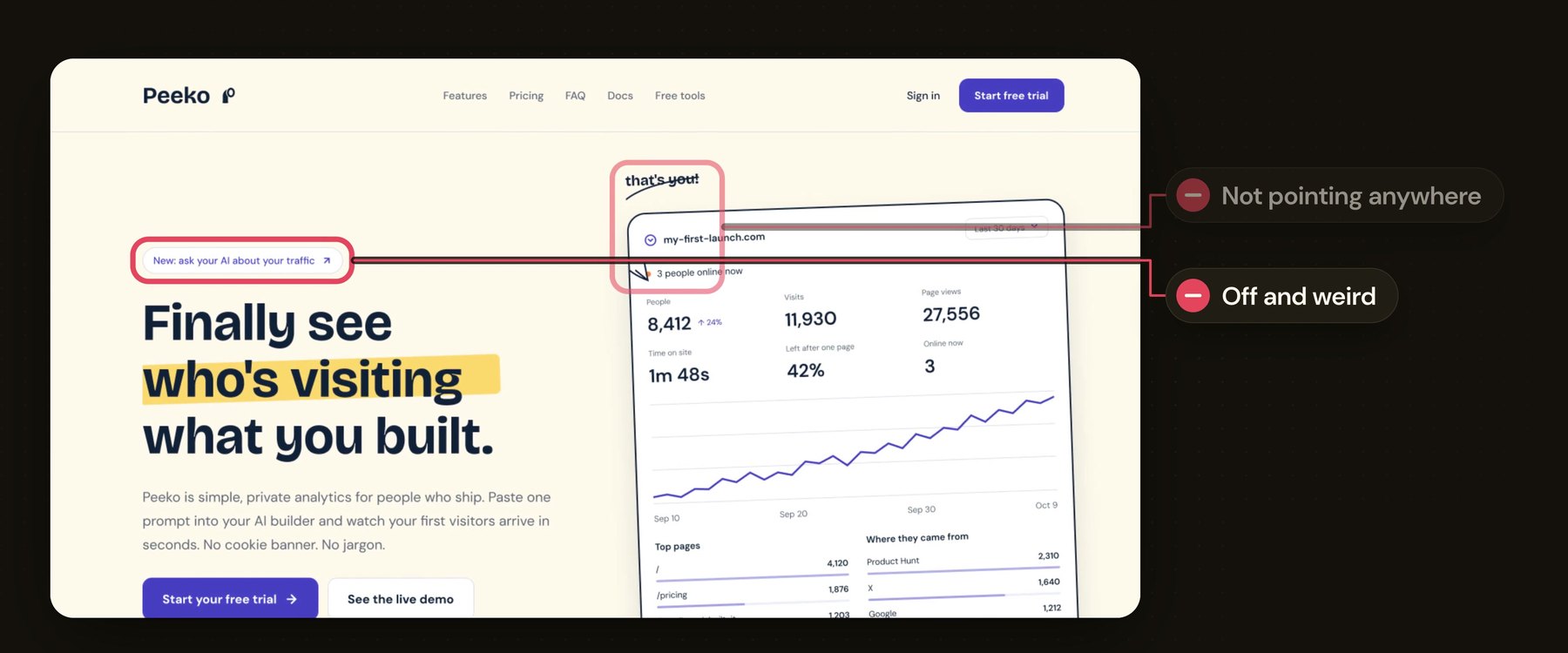
The page itself was weaker. The arrow points at nothing. The hero is crowded. Tilted icons were trying to be playful and read as unprofessional to me. Two footer colors fight each other, and its dark theme was a step down from what the Figma MCP server made.
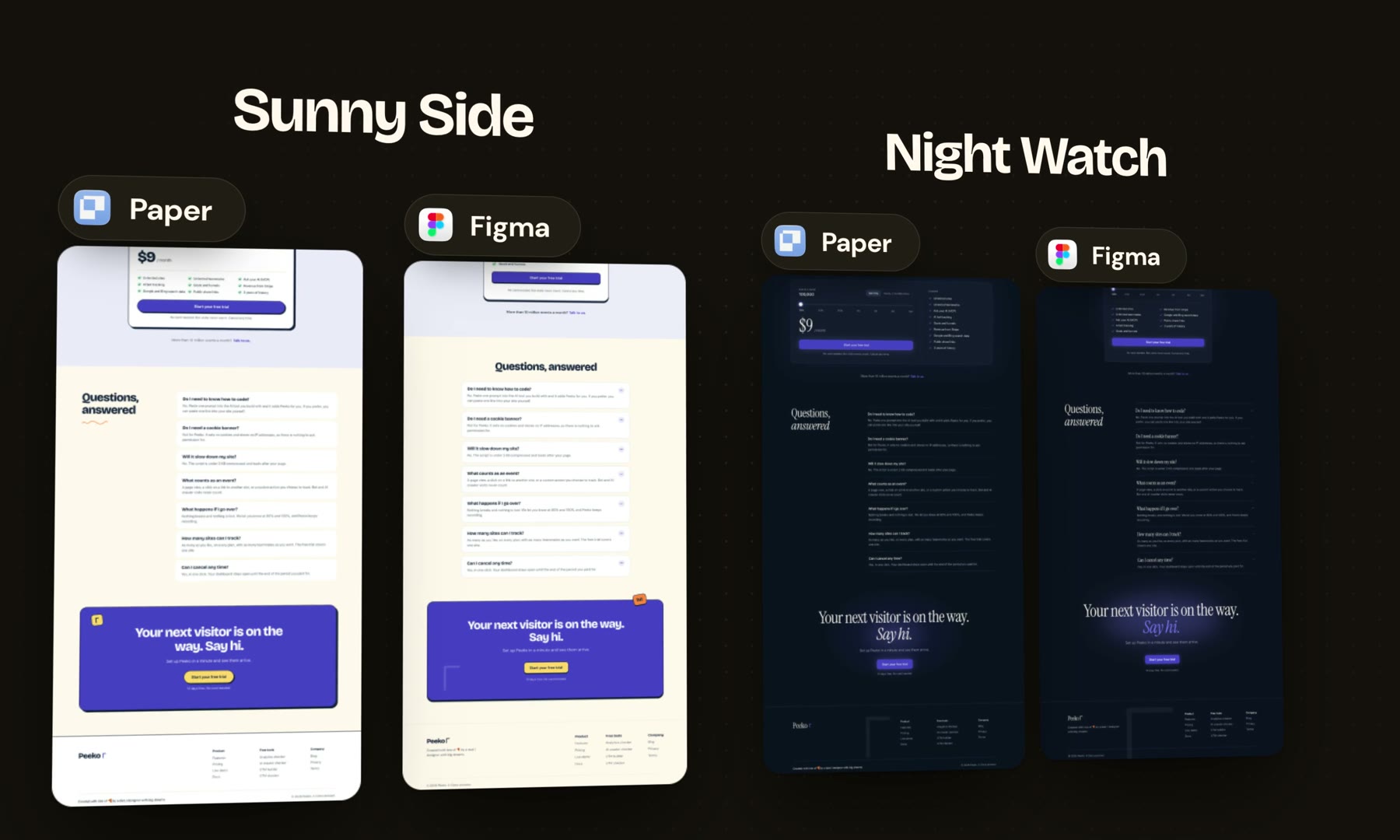
It had good ideas too. It put icons in a section where both MCP servers left them out, and its closing call to action is one I'd keep with a few changes. Here are both of its pages.


The bigger problem was the silence. For long stretches nothing changed on the canvas, and at one point I wasn't sure it was working at all. It is the same lesson as the race. When an agent is designing, showing its work is a feature.
Where the human stays
The visuals were closer than a 12 to 8 score makes them sound. For most sections all three tools got me to the same place, and the difference came down to the prompt. My score is one designer's taste on one brief.
It was also one run per tool. Run it again and some of those calls flip.
None of these pages ships as is. Two tools invented the same odd logo. The arrows, the shadows, the footer colors all still need a person who knows what Peeko is supposed to feel like. The agents got me a strong first draft in 11 minutes. The design is still my job.
Who each one is for
Pick Paper if you want to watch the design happen and steer it, if you want to try many directions in parallel (it works with much cheaper models too), and if the design is headed to code.
Pick the Figma MCP server if you pay per token, or if the design lives in Figma because your team does.
Give the Figma Agent another few months. The context it can reach inside your Figma file is a real advantage. It needs to show you what it is doing.
I used to judge an AI design tool by its output. In this test the output was close. What wasn't close was how soon I could see it, and how far it was from real code. The best AI design tool is the one you can watch.
Get new posts by email
I write when there is something worth saying. One email per post, nothing else.

- ai
- design
- tools
- claude-code
- figma
- paper