How I shipped my first iOS game without shipping AI slop
The build log for Weirdo, my first game in the App Store. Designed in Figma, built with Claude Code on React Native. The AI wrote most of the code and did not make a single design decision.
My first iOS game went live in the App Store last week. It exists because of what coffee does to me in the morning.
The idea showed up at the gym, between sets. I was thinking about emoji equations. ☕ plus ☀️ equals what? My honest answer is 🧻, and if coffee is part of your morning you already know why. What would other people answer? Their answers would say everything about them. That felt worth studying. For science.
I have been a product designer for 17 years and I had never shipped an app of my own to the App Store. The game is called Weirdo. It went from that gym session to a submitted build in a few weeks, designed in Figma, built with Claude Code on React Native and Expo. This post is the build log. People would call what I did vibe coding. The AI wrote most of the code, sure. It did not get to make a single design decision.
The whole game is one question
Weirdo gives you a daily emoji equation. You pick the answer that is honestly yours. Then it tells you how rare your answer is. That is the entire game. No wrong answers, just revealing ones.
I kept the scope that small on purpose. I wanted to go through the full journey once, idea to App Store, before attempting anything bigger. Every decision after that one was easier because the game stayed small enough to finish.
There are a few hidden things in the game, and a few more on the site. Nobody has mentioned finding any of them yet.
The design happened in Figma, not in a prompt
The look I wanted was specific. Soft, warm, a little toy-like. Buttons that feel 3D and clicky, the kind you want to press again.
I started with AI images. I asked ChatGPT to generate UI directions, and Gemini for a few more. This is the part AI is genuinely great at: volume. In no time I had a wall of directions to react to.

None of them was right, and that turned out to be the useful part. Three confident wrong answers told me what I actually wanted faster than a blank canvas ever does. It also killed the working name. Emoji Daily describes a mechanic. The game is about finding out how strange your answer is, so it became Weirdo.
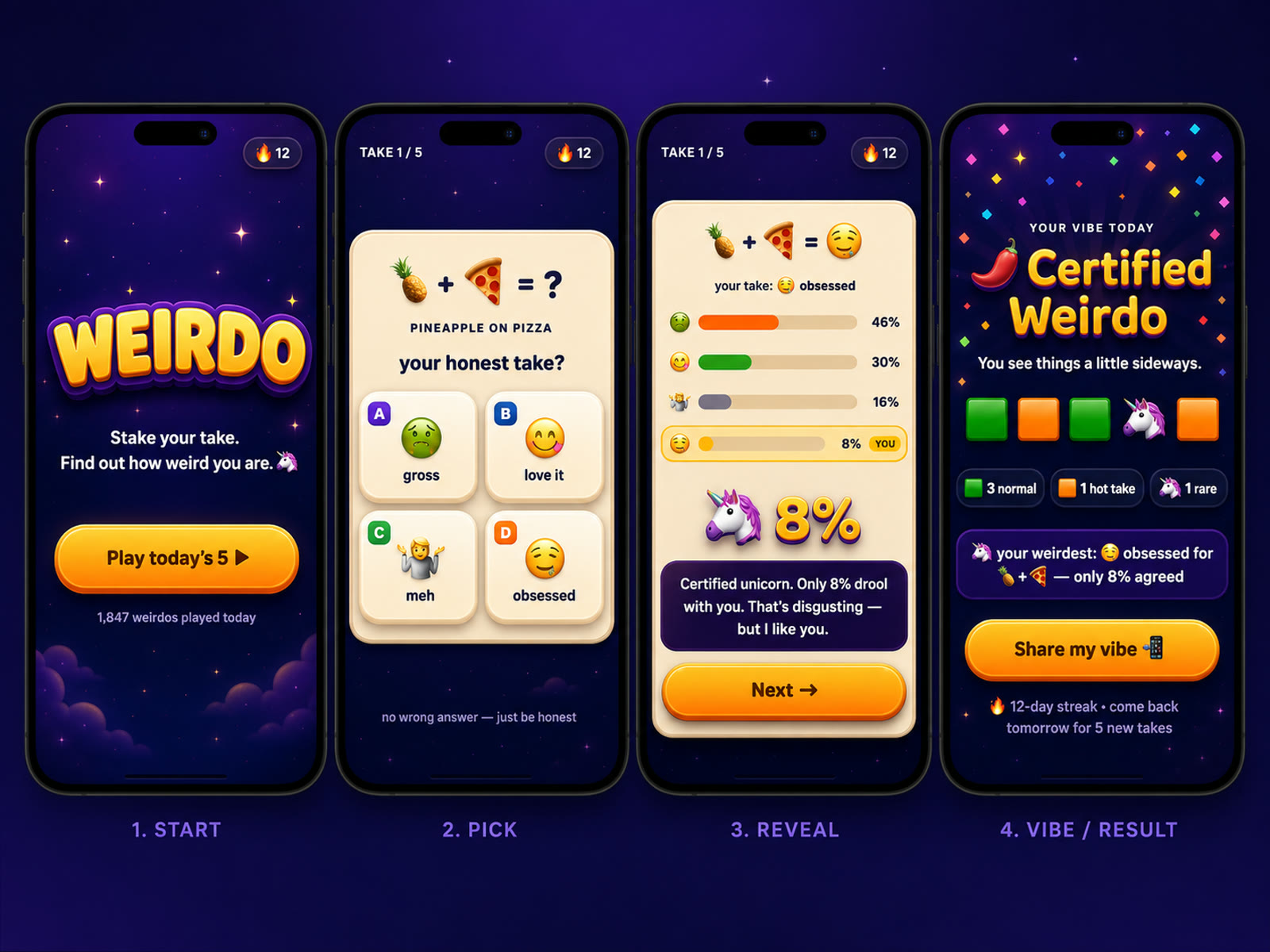
Then came the part I think most people skip. I took that direction and rebuilt it in Figma, by hand, precisely. Every button carries three stacked shadows. The gradients are layered and tuned. The AI images were the moodboard. Figma was the drawing board. The distance between those two is the distance between an app with a point of view and AI slop.
ChatGPT stayed useful after that, in a smaller and much better job: cutting the pieces. The mascot on transparency. The sky and clouds as their own plate. The wordmark on its own. Once the direction is locked, asking for isolated assets instead of finished screens is the difference between a picture of an app and parts you can actually build with.
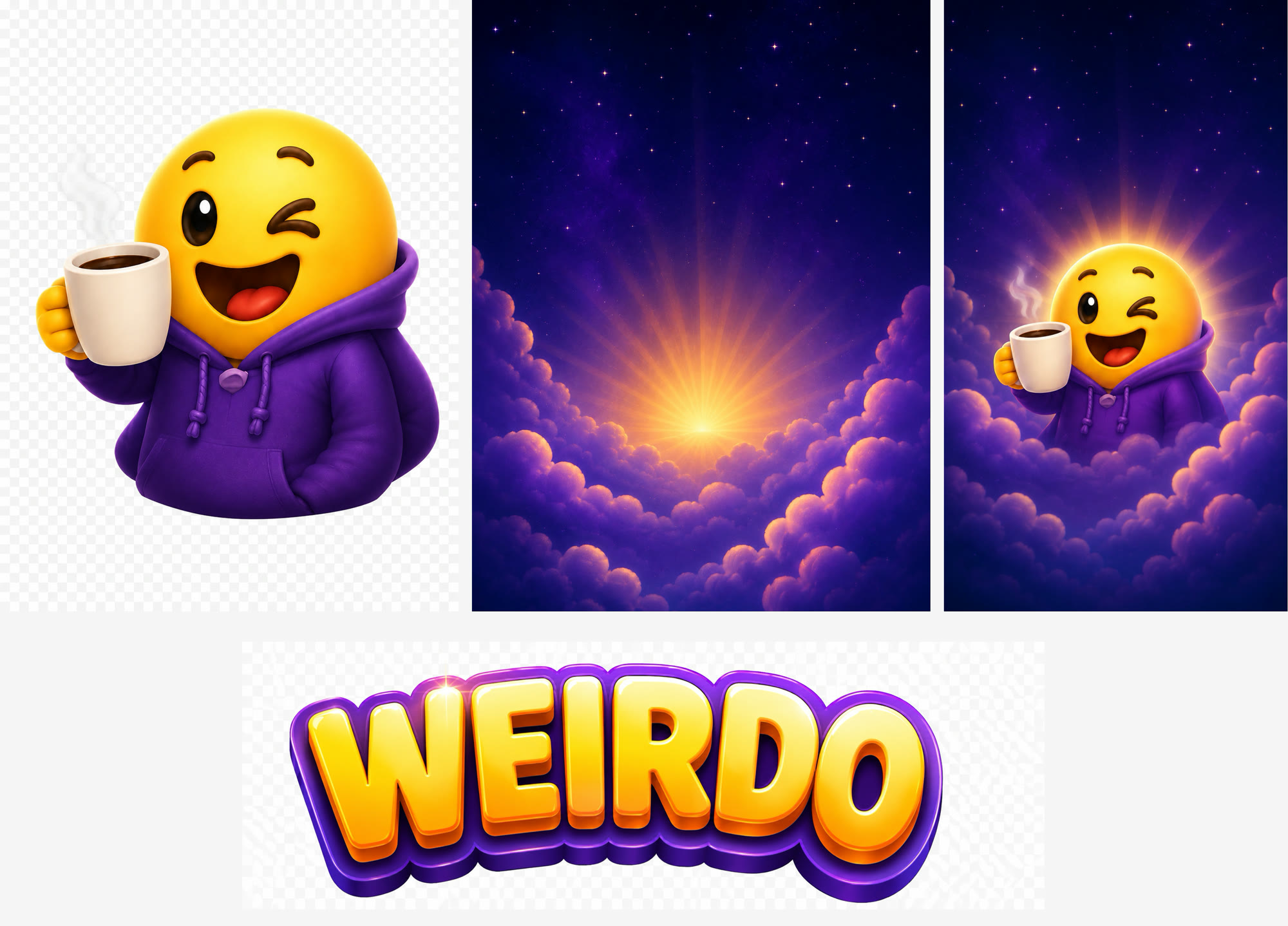
The logo came out of the same loop, designed with ChatGPT and then made exact. So did the app icon, which I generated as a sheet of nine and then judged the way an icon is actually seen: small, on a crowded home screen, sitting next to apps that are not yours.
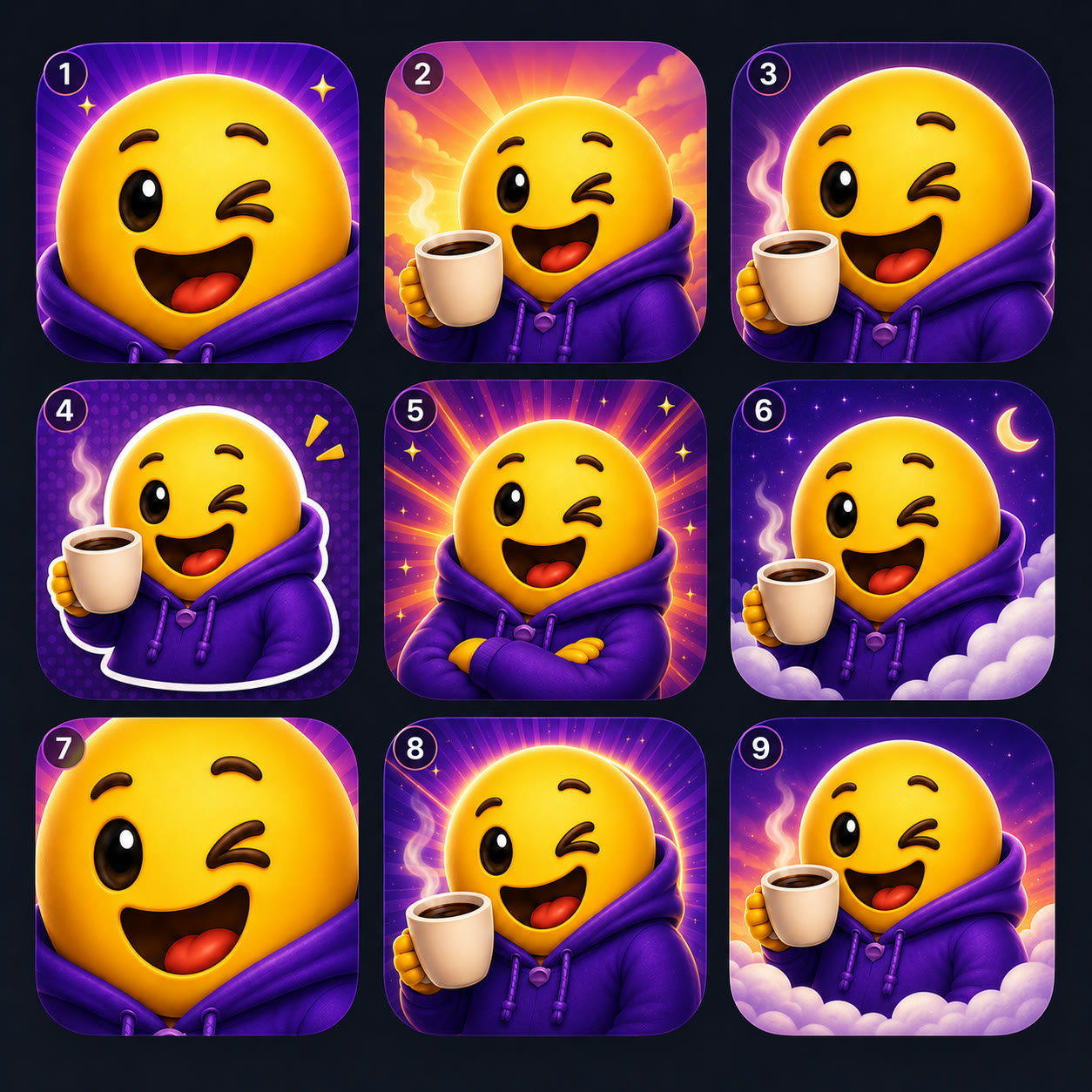
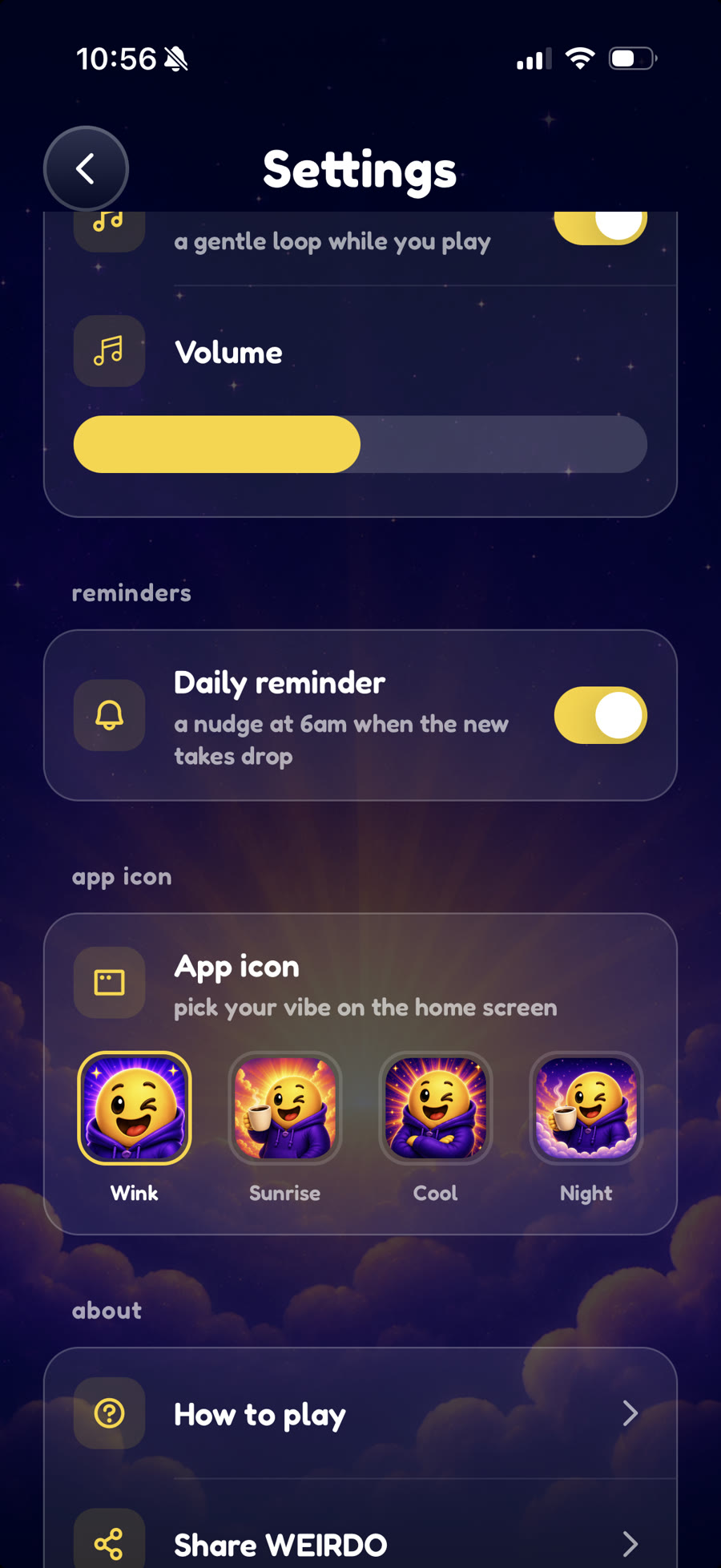
Four of them held up, so I shipped all four. A game about your honest answers should obviously let you choose which face sits on your home screen.
The design system came first, and I fought for the details
With the design settled in Figma, I connected Claude Code to it through the Figma MCP server and built the design system before the app. A couple of rounds to get the components right, and after that the game itself was mostly assembly, the same loop I described in my actual Claude Code workflow as a designer.

Here is what that sheet buys. When every component the game needs already exists, with its states drawn, the model is never inventing UI. It is assembling parts I already approved.
The screens got the same treatment as the components: designed in Figma, then annotated the way I would spec them for an engineering team. When the round counter only appears briefly on load, there is a note saying so, with an arrow pointing at it. The AI was the engineering team.

This was my first React Native and Expo project. Honest take: it was not that difficult. Once the design system existed, building the game was tuning interactions, animations, transitions and sound.
The fights were about details. Claude Code kept ignoring the small things that made the design work. The triple shadows. The specific gradients. It would produce a button that was close, and close was exactly what I was trying to avoid. So I learned to name the details out loud, every time, until they survived the translation.
I also experimented with Claude's design tool for this. It did not get me what I was after. Figma to code, with me pushing on every detail, did.
I built tools to build the game
Somewhere in the middle I noticed I was building tooling the way a studio would.
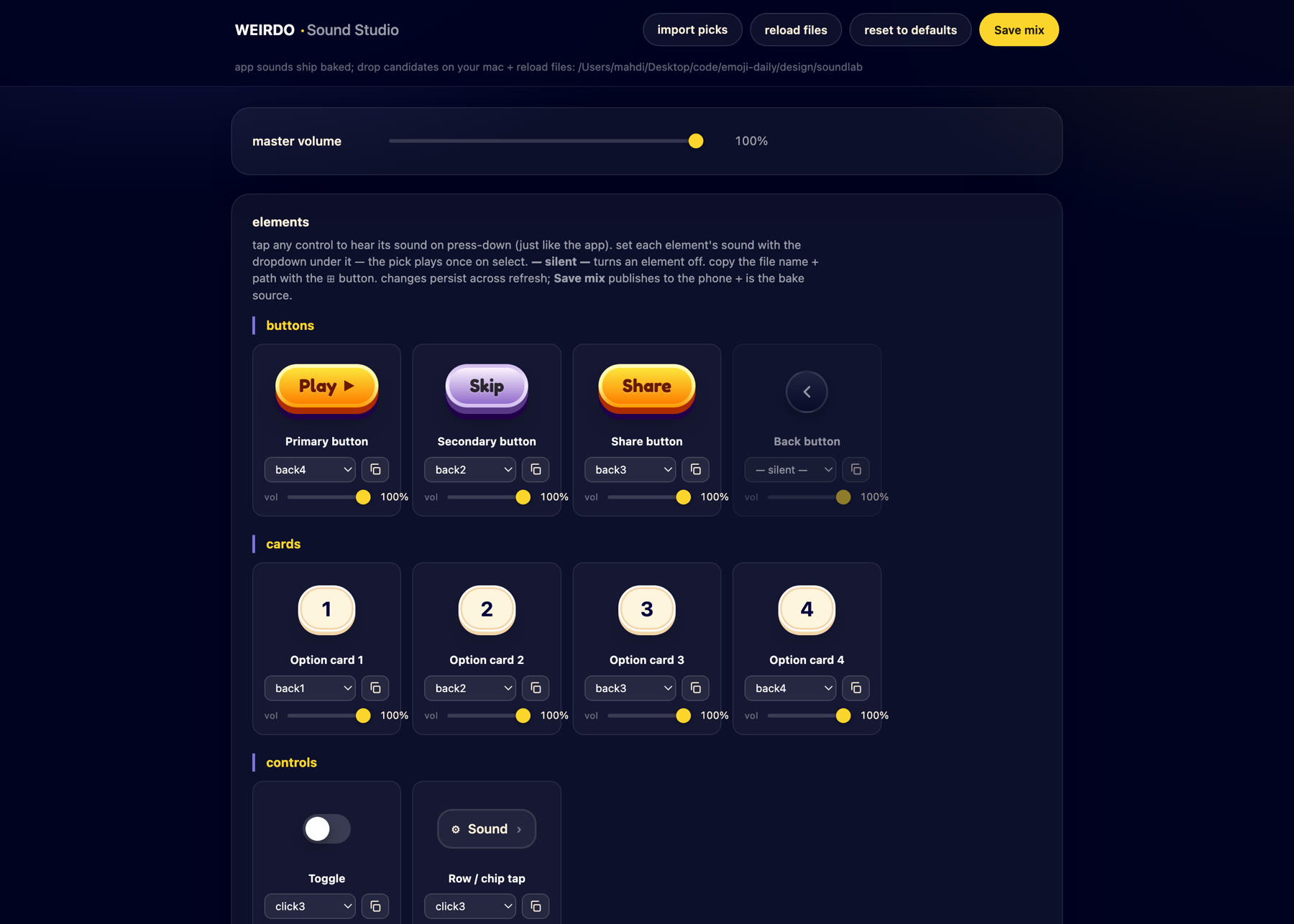
The first one was for sound. Picking effects out of a library of four hundred is not the hard part. Knowing whether a click belongs on this particular button is. So the Sound Studio renders the game's real buttons and cards, in the game's own palette, each with a dropdown and a volume slider. You press one and hear exactly what a player would hear. Save the mix and it goes into the app.
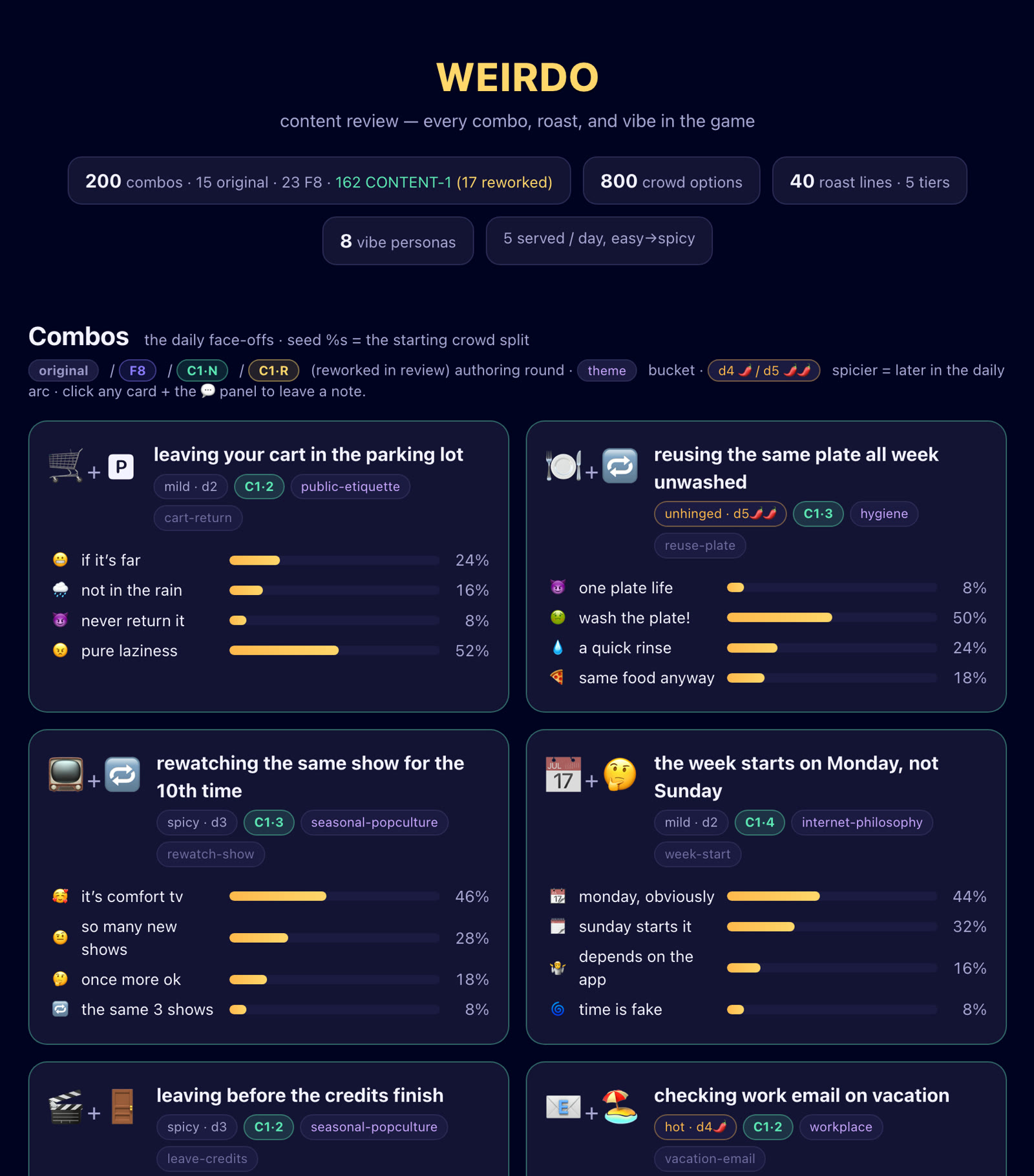
The second was for words. Weirdo ships two hundred emoji equations, eight hundred crowd answers and forty roast lines, and a joke that lands on its own can still be the fourth joke in a row with the same shape. You cannot catch that one card at a time. So I generated the whole content set as a single page, every combo with its answers and its starting crowd split, and read it end to end with a comment layer over it.
There was a third for the design system components, outside the app. None of the three will ever ship. All three made the game better. Tuning by feel needs a fast loop, and a fast loop is now something you can build yourself in an afternoon.
Two weeks of silence
There was one more design job before the queue: the App Store page itself. The five screenshots are built from the same components and the same sky, because the store listing is the first screen of the game anyone sees.
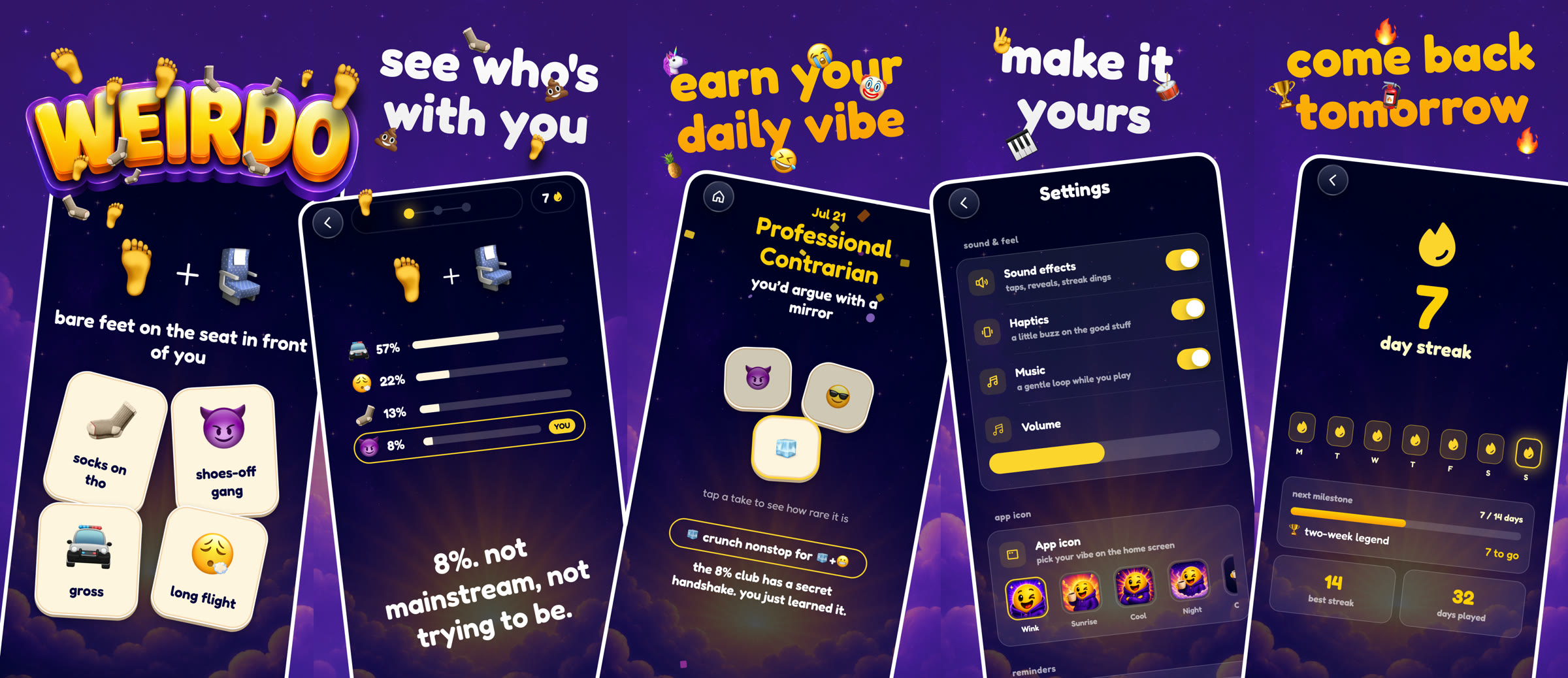
Then the fastest project I have worked on hit the slowest wall. App Store review took two weeks. Two weeks of a finished game sitting in a queue felt longer than designing and building it.
The approval email arrived on August 4. Nothing about that wait was in my control, which after weeks of arguing with a model over a single shadow was its own kind of lesson.
Where the human stayed
Here is the honest part. The model is genuinely good at building. It wrote most of the code, and the code works. What it could not do is care. It did not notice when a shadow went missing, when a transition eased wrong, when a sound landed a beat late. Every one of those catches was me. 17 years of noticing, pointed at a silly emoji game.
The idea was mine in a way no model replaces, too. Not because models can't produce jokes. Because this joke came from being a person with a morning routine, standing in a gym, wondering about other people.
If you want to ship your first app this way
Three things I would tell a designer trying this.
Pick something small enough to finish. The scope decision at the start is the one that decides whether there is an App Store page at the end.
Build the design system before the app. It turns the AI from a generator into a builder assembling parts you already approved.
Never accept close. Name the missing detail precisely and make it survive into the build. The distance between close and right is where your taste lives, and it is the only part of this workflow that cannot be delegated.
People keep calling this way of working vibe coding, and I have stopped arguing with the name. But nothing about this game was vibes. The AI compressed everything that used to be slow: the code, the boilerplate, the platform knowledge I did not have. It could not compress the taste. The code took a few weeks. The taste took 17 years. That ratio is the real story behind anything AI-built that people actually want to download.
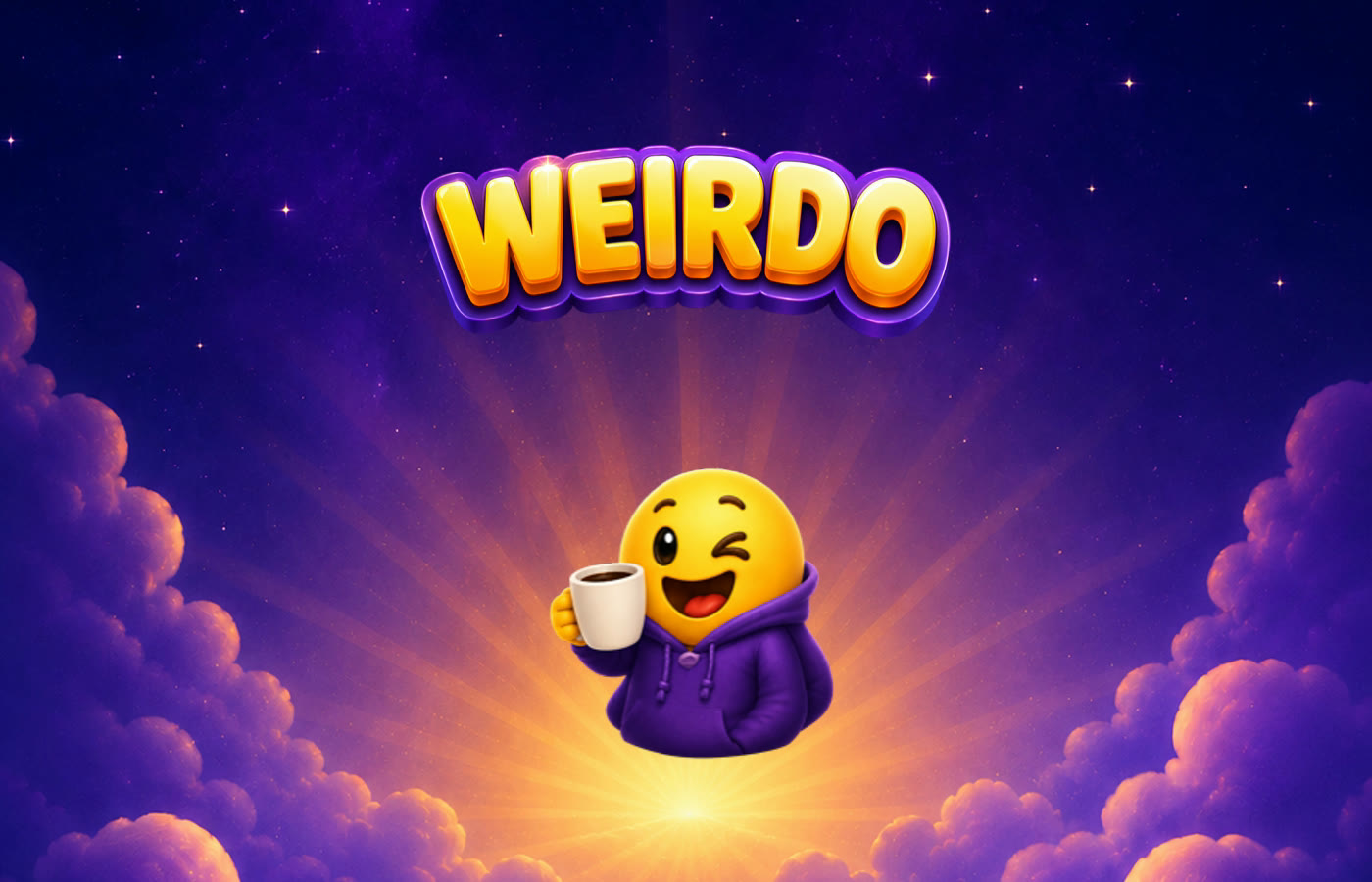
Weirdo is free, and today's equation is already waiting. I would genuinely like to know how weird your answer is.
Get new posts by email
I write when there is something worth saying. One email per post, nothing else.

- ai
- design
- build-in-public
- ios
- games