I hacked a birthday-gift LED screen into an AI token usage monitor
A friend gave me a pixel clock for my birthday. I flashed it, built a private dashboard for it, and now my Claude usage sits on my desk all day. The full setup, with links to build your own.
For my birthday last year, my friend Ash Samhouri gave me a small LED pixel screen. Ash is the founder of Activepieces, and he picked the kind of gift that says he knows me. Not a gadget to use. A gadget to open up and mess with.
The device is a Ulanzi TC001, a desk clock with a 32 by 8 pixel matrix. Out of the box it shows the time, the weather, some stock widgets. I will be honest about what happened next: it sat in my closet for ten months, because setting it up never made it to the top of the list. Last week it finally did. Within days, mine was showing my Claude token usage, live visitors on this site, and a ping every time someone asks the chat in the corner of this page a question.
This post is the full setup. What the device is, what I run on it, how it stays private, and the links you need to build your own.
First, the thank you
The best gifts do not fill a need. They create one. I did not know I wanted a hackable pixel clock on my desk until one was there, and now I check it more than my phone. Ash, thank you. You handed me a new hobby disguised as a clock. Sorry it took me ten months to open it properly.
Flashing it took an evening
The TC001 has a well-known community firmware called AWTRIX 3. You flash it straight from the browser, no toolchain, and the clock turns into a canvas. It exposes a simple HTTP API on your local network, and anything that can send JSON can draw on it. Send a payload, get pixels.
That is the entire trick. Everything else is deciding what deserves the pixels.
The app that stuck: my Claude usage
I use Claude Code all day. Which means I live inside limits. Session windows, weekly caps, resets. The tab I kept opening was the usage page, always with the same question: can I keep working tonight, or do I need to pace myself until the account resets?
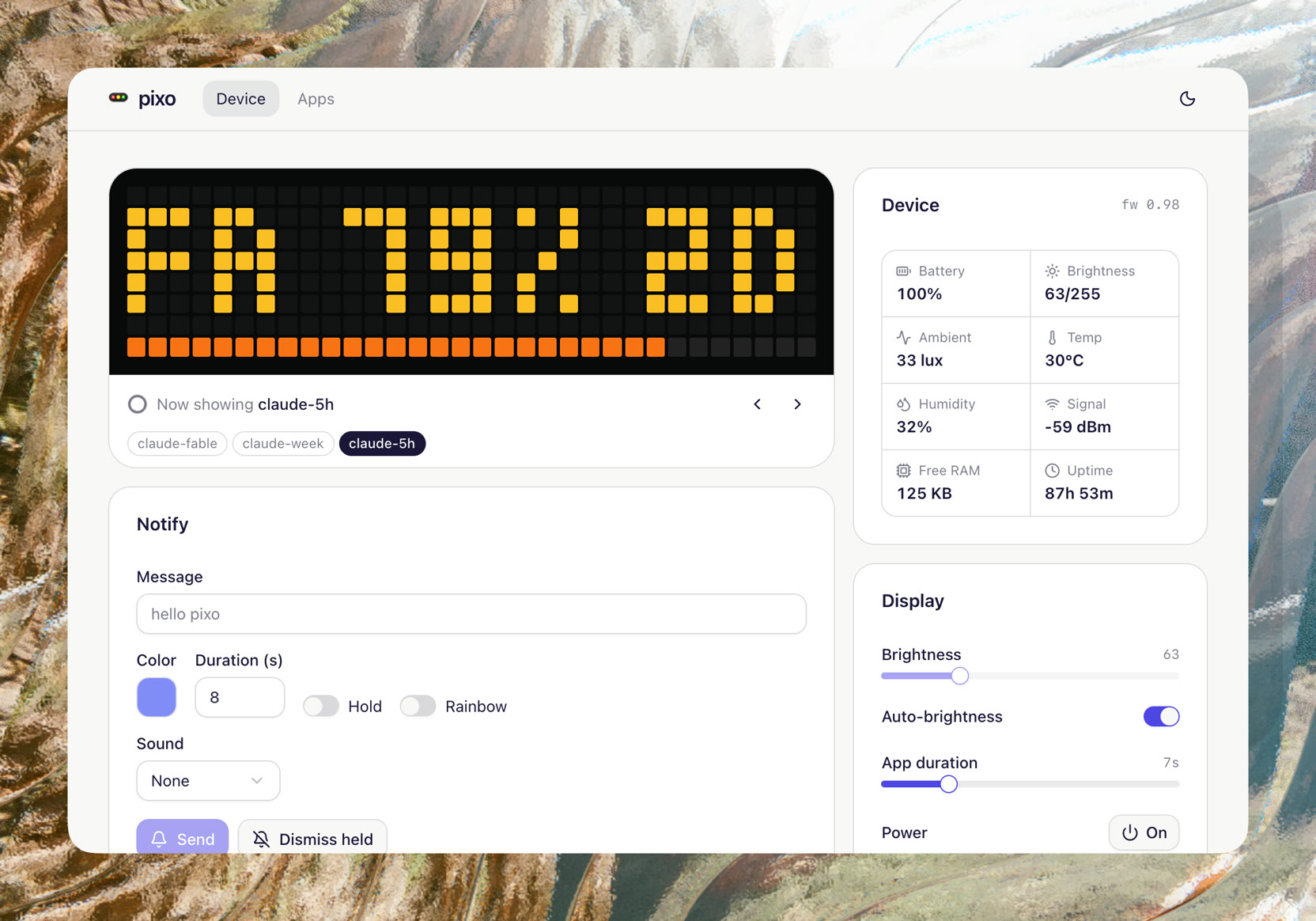
So the screen now rotates through my usage. How much of the current window I have burned, where I stand against the weekly cap, when the next reset lands. It sits at the edge of my desk and I absorb it without asking for it.
I stopped opening the usage page entirely. The glance replaced the check.
The other screens
The token monitor earned the permanent spot, but it shares the device. One app pings when there are visitors on this site. Another lights up when someone asks the chat in the corner of this page a question, which is a strange and great feeling: a stranger talks to my agent, and a little screen glows on my desk. There are screens for weather, messages, email notifications. Anything I want, really.
Building these has been half the fun. The distance between "I wonder if" and "it is on the screen" is about twenty minutes.
How it runs
The screens are fed by a small dashboard app I built, running on a dedicated subdomain of this site. That is where I configure the apps, reorder the rotation, and toggle screens on and off. The dashboard pushes each screen to the clock through the AWTRIX HTTP API.
The dashboard is not public. It sits behind Tailscale, so the subdomain only resolves for devices on my private network. No login page, no auth code to maintain, no attack surface. If you are not one of my machines, it simply does not exist for you. For a personal tool, network as identity beats passwords every time.
Build your own
The whole thing is more accessible than it looks.
- The device: Ulanzi TC001, around fifty dollars.
- The firmware: AWTRIX 3. Flashing happens in the browser and takes minutes.
- The screens: anything that can send an HTTP request. A cron job, a small script, an automation tool. Fittingly, an Activepieces flow would do it too.
You do not need a dashboard like mine to start. A ten line script posting JSON to the clock is a working first app. The dashboard came later, once I had enough screens to want a control panel.
If enough people want it, I will open source the dashboard. Tell me in the chat on this page or on LinkedIn.
The honest part
I do not need this. Nothing on the screen is information I could not get by opening a tab. It is a fifty dollar clock showing me numbers that already live in a browser.
But that is exactly the finding. I had access to all of it before, and I still ran into limits mid-task, because checking requires remembering to check. The screen removed the remembering. Ambient information does not compete for attention. It waits at the edge of it.
I have spent a lot of my 17 years as a designer building dashboards that people had to remember to open. Most died of neglect, not of bad design. The most useful dashboard I have ever owned is 256 pixels, and nobody opens it at all. The information moved to where I already look.
Get new posts by email
I write when there is something worth saying. One email per post, nothing else.
- ai
- build
- hardware