My laptop is closed and the agents are still working
A Mac mini that never sleeps, tmux, and a private network, so coding agents keep working after I shut the lid. The actual setup, the question tmux could not answer, and the tool I built to answer it.
There is a Mac mini in my house that has not been switched off in months. It is not a server in a rack somewhere. It sits on a desk, it runs around the clock, and right now there are coding agents working inside it.
My laptop is closed. I am not in the room.
This post is how that actually works. Not a productivity system, and not the influencer version where a diagram does the work. A machine that stays on, a terminal multiplexer, a private network, and the one thing I got wrong for long enough that I ended up building a tool about it.
tmux is the entire trick
A terminal session normally dies with the window that holds it. Close the lid, kill the process. That single fact is what keeps most people tethered to their laptop.
tmux breaks it. Sessions run in a separate process that does not care whether anyone is attached to them. Start Claude Code inside a tmux session and it keeps going after you detach, after you close the terminal, after you shut the laptop and drive somewhere.
Detaching is not stopping. Once that lands, the machine stops being something you sit at and becomes something you check on.
Tailscale makes the machine reachable without making it public
The mini is on a private network shared by my devices. From my phone, anywhere, it behaves as if we are on the same wifi. Nothing is exposed to the internet, and there is no port forwarding involved.
So from my phone, anywhere, I can reach a session that has been running for hours, see what the agent did, and unblock it. When I need a real terminal on the phone I use Termius, the best terminal client I have found on iOS. But the terminal turned out to be the fallback, not the main event. More on that in a minute.
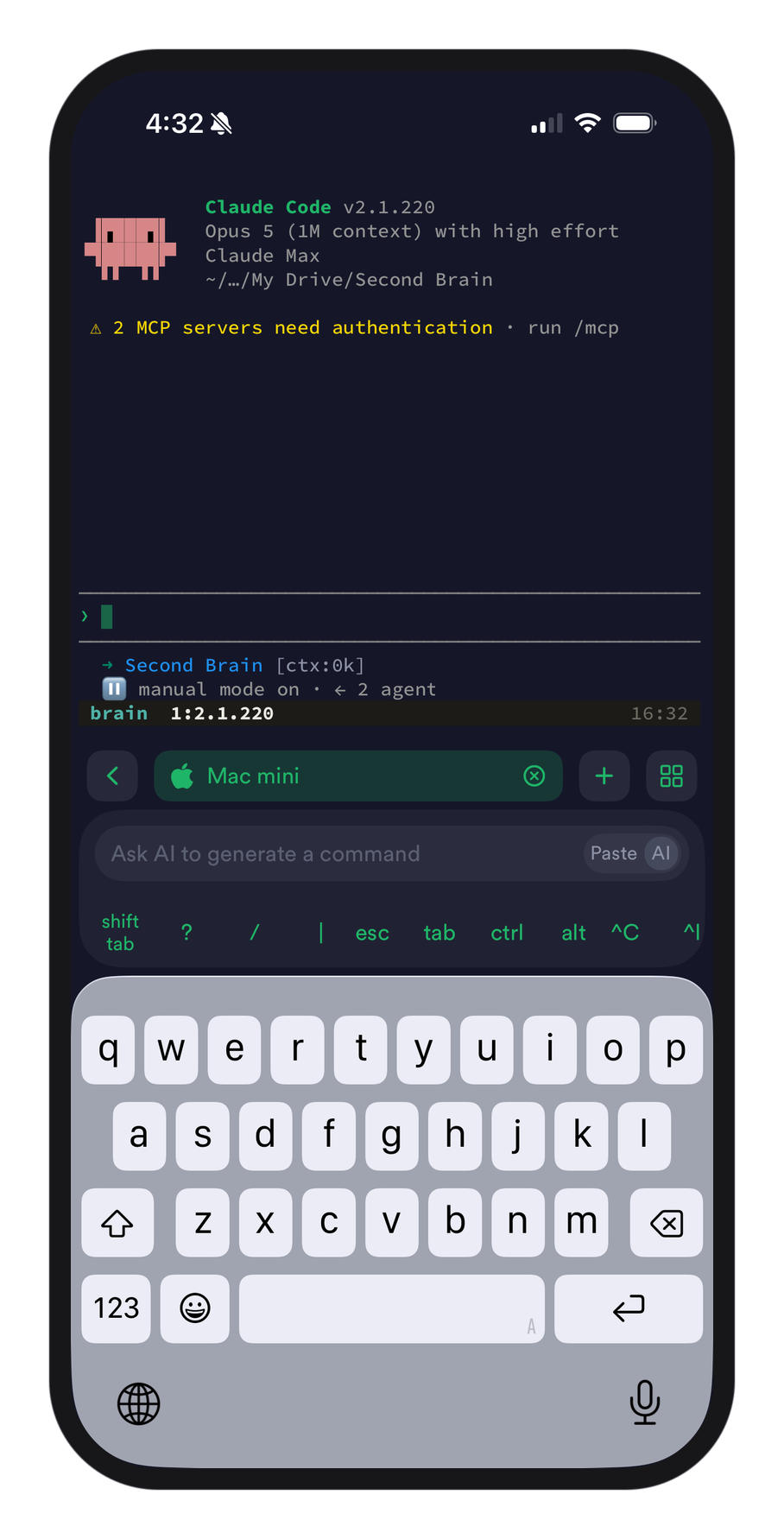
The work happens on hardware I own, in my house, and I am just a client that comes and goes.
The part I kept getting wrong
I assumed my problem was tmux commands. It was not. I did google the same three commands more often than I would like to admit, but that was an annoyance, not the thing costing me real time.
The thing costing me real time was a question tmux cannot answer. Which of these sessions is stuck waiting on me?
tmux will happily list every session. It will not tell you that one agent finished twenty minutes ago, another is mid turn, and a third has been sitting on a permission prompt since lunch. So I was attaching to each session in turn to find out, which is the slowest possible way to answer a question I had twenty times a day.
So I built a dashboard for it
It is called muxo. One list of every session on the machine, sorted so whatever wants me is at the top.
The whole interface is one question answered by color.
That is the whole product. Not a chat renderer, because claude.ai already does that well. Not a full terminal, because my SSH client already does that well. It answers one question and hands off for everything else.
My favorite detail is the part that decides whether an agent is running in a pane. You cannot look for the word "claude" in the process name, because Claude Code's process name is its version number. So the check is a regular expression for digits and dots. That is not a thing you can read in a blog post. You only find it by building the thing and watching it fail.
There is no database either. tmux already knows what is running, so muxo asks it on every refresh rather than keeping its own copy. A second source of truth can only drift from the first one.
One tap moves it to a better screen
The mirror is for a quick look, and on the phone the key bar under it clears most blocks in a tap or two, because a stuck agent is usually sitting on a permission prompt or a menu. What the mirror is not for is reading a long conversation or typing a real reply, and I do not pretend otherwise.
muxo has a toggle for that. It sends /remote-control to the Claude Code session, and the same session becomes available in the Claude iOS app on my phone and in the web UI on claude.ai. I pick up exactly where the agent and I left off, in apps that are better at the reading half than anything I would build. Proper formatting, real image previews, and a browser the agent can actually use.
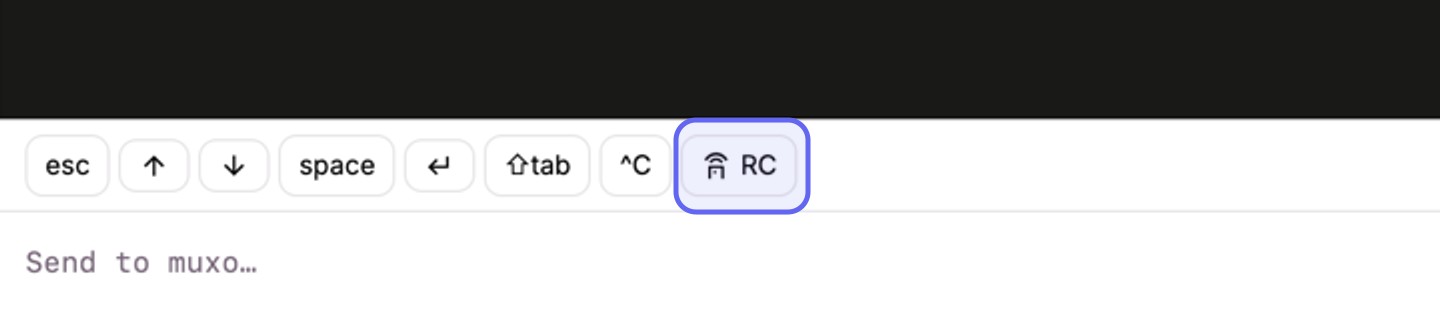
I will admit this is not the setup I designed. I thought the terminal in my pocket would be the workhorse and the Claude apps the occasional convenience. It went the other way. Even with Termius right there, when I need to make real changes on the go I reach for the Claude app, because continuing a conversation is the thing it is built for. muxo's real job turned out to be telling me who needs me and flipping that switch.
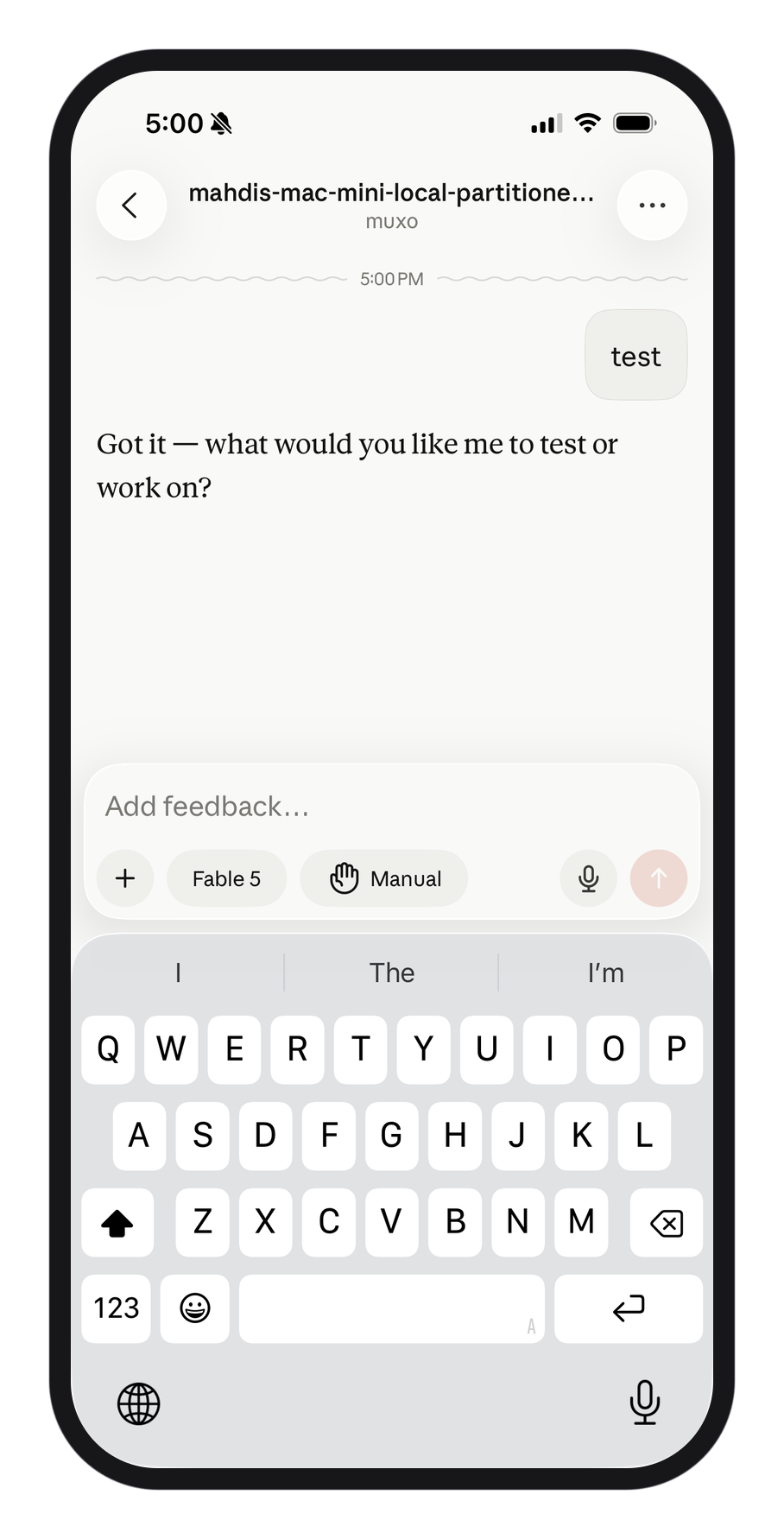
A tool that knows what it is bad at ends up more useful than one that pretends.
The session that keeps the machine awake
There is a session called awake whose only job is to run caffeinate so the mini never sleeps. If it dies, the machine sleeps, and every agent on it stops.
muxo refuses to offer that session for deletion. It sits in the sidebar marked as infrastructure.
I did not plan that feature. I built it after looking at a list of sessions and realizing that one of them was load bearing and looked exactly like the others.
Where the human stays
The honest part of this setup is the security posture, so let me be plain about it. The box that lets me answer a prompt from my phone types into a real terminal on a real machine. That is remote command execution, on purpose, because that is the entire point. It binds to localhost by default and refuses to start on any reachable address unless you have set a token. The right way to think about exposing it is the way you think about exposing SSH.
The other honest part is what this does not fix. Running agents around the clock does not make them better. It means I find out sooner. An agent that went wrong at two in the afternoon is still wrong at six. The difference is that it turns amber and I stop it, instead of discovering it at bedtime with four hours of confident nonsense behind it.
The judgement did not get automated. It just got faster to apply.
If you want to try this
Start with tmux and nothing else. Run one long task inside a session, close the lid, come back later and attach. That single experiment is the whole idea, and it costs you an afternoon at most.
Put the machine on a private network before you put anything interesting on it. Do that part first, not after.
Use a real terminal client on your phone rather than fighting a web one. The phone is not where you do the work. It is where you unblock the work.
And do not build the dashboard first. I used this setup for a while before I built anything, which is the only reason muxo answers the question I actually had instead of the one I would have guessed at.
The usual pitch for agents is autonomy, as if the goal were a machine that no longer needs you. That is not what I got. What I got is smaller and more useful. The work no longer stops when I do.
Get new posts by email
I write when there is something worth saying. One email per post, nothing else.

- ai
- agents
- build-in-public
- tools