Ava
Cross-platform design for an AI accessibility platform serving the deaf and hard of hearing.

- Role
- Head of Design
- Team
- Led design for iOS, Android, desktop and the web, and supported the marketing team
- Timeline
- 2024
- Problem
- The desktop app had to become seamless and easier to use.
- Solution
- A new design language and interaction paradigm for the desktop app, and a design system.
- Results
3x
BeforeAfterSession duration
Before and after
I redesigned the desktop app entirely: a new design language and a new interaction paradigm.
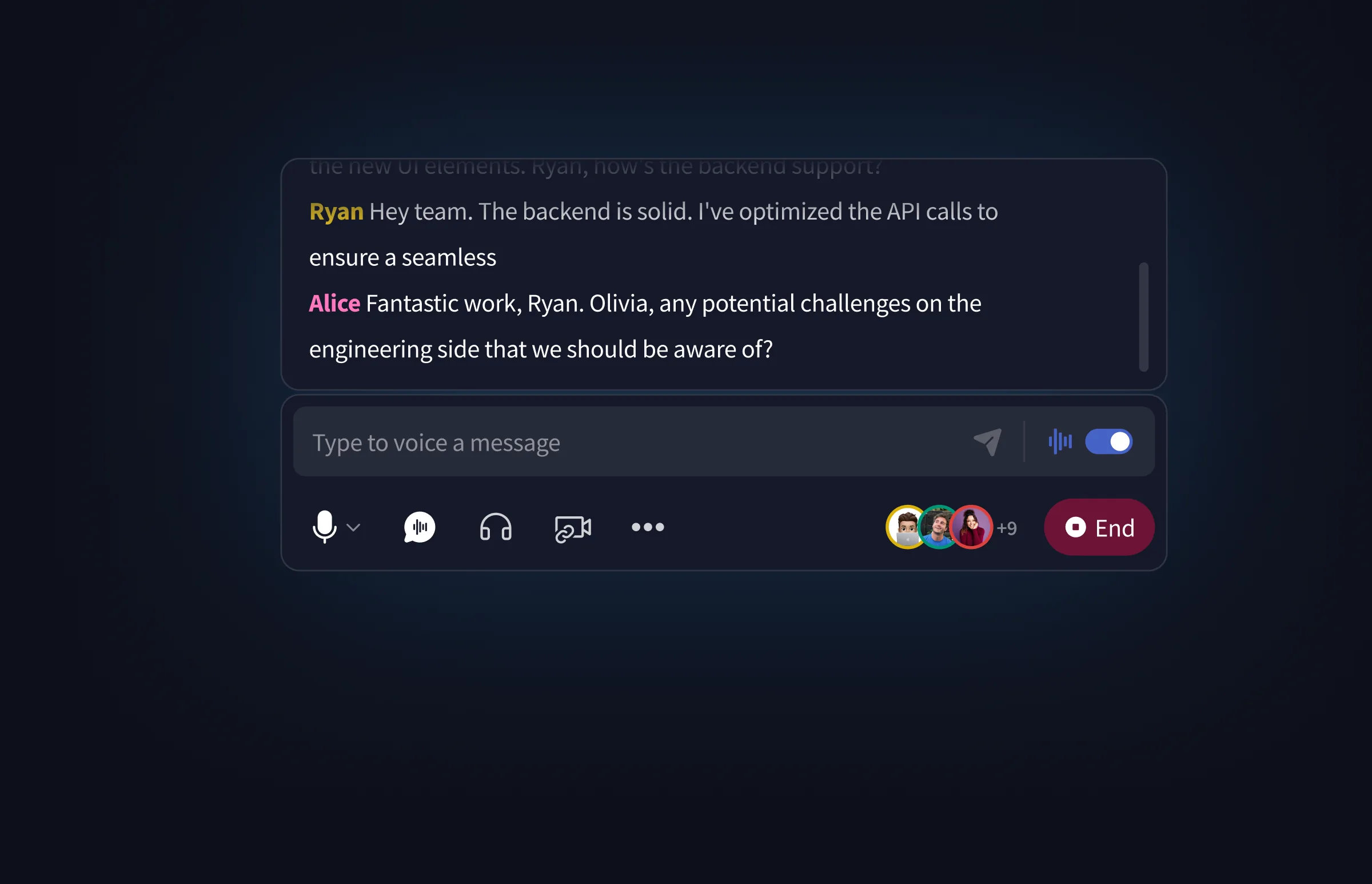
The new desktop app
Live captions, a box that voices what you type, and the call controls in one panel.
Normal and hover states
At rest, only the captions. Hover, and the message box and controls appear.
The controls
Conversation controls, participants and ending the session, with message voicing beside the input.
Voicing a message
Type a line, then send it as a voice message.
Floating captions
Captions on their own, with the voicing indicator, and with the mic active.
Interactive prototype
Live captions on a call, in the page. Click around.

Loading prototype…